Tag: Weebly

  • Top 13 Free Blogging Sites to Use in 2023

    Blogging has become an increasingly popular way for individuals and small businesses to share their ideas, thoughts, and experiences with the world. Whether you’re looking to document your personal journey, share your expert knowledge on a specific topic, or promote your business, a blog can be a powerful tool for reaching a wider audience.

    Blogging is a big part of the digital world now. Blogs are similar to keeping or writing a diary, expressing your thoughts or opinions about anything you want. You can write about fashion, cinematography, lifestyle, travel, and even a review about a particular book, movie, or product you might have purchased.

    Blogging has come a long way since a college student named Justin Hall began blogging in 1994 on links.net. Blogging is not only limited to expressing yourself with words but also images, audio, GIFs, quotes and so much more.

    Besides, people can build careers by blogging and turning into professionals. It does not matter whether you want to start blogging just as a hobby or if you want to try it professionally. One of the great things about blogging is that it doesn’t have to cost a lot of money to get started. There are many free blogging platforms available that allow you to create a blog, customize its design, and share your content with the world. Some of the most popular free blogging platforms include WordPress.com, Blogger (Blogspot), Wix, Medium, Weebly, Tumblr, and Ghost.

    Best Free Blogging Platforms for 2023

    In this blog, we will take a look at the various free blogging sites available, explore their features and limitations, and help you choose the right platform for your needs. Whether you’re a beginner or an experienced blogger, this guide will provide you with the information you need to get started with your own blog. So let’s get started!

    Top 13 Free Blogging Sites

    WordPress
    Wix
    Blogger
    Medium
    Ghost
    Hubspot
    Jimdo
    Tumblr
    Milkshake
    Weebly
    Joomla
    Substack
    Yola

    WordPress

    Website WordPress.org
    Rating 4.6 out of 5
    Best For People who want 100% control of their blog
    Sites Created Using WordPress 37.5 million
    WordPress Free Blogging Site
    WordPress Free Blogging Site

    As per reports in 2022, WordPress had around 835 million websites and is the go-to site for anyone wanting to start a blog. Back then known as WordPress 0.5 or B2/Café Log, WordPress was launched in the year 2001 by Matt Mullenweg. Now, WordPress is one of the most popular and considered options by many who are looking for a free blogging website.

    If you are very new to blogging, you must also know that when we say WordPress, there are three types- wordpress.org, wordpress.com, and WordPress VIP. When we say Free WordPress we are talking about WordPress.org. While WordPress.org is totally free to download, to make your website go live using wordpress.org, you will need to purchase a Domain name and hosting plan.

    WordPress.org i.e the free WordPress. WordPress.org is open-source software and anyone having coding knowledge can make a change to the codes of the platform. Besides, there are many plugins available for WordPress.org that one can download to customize the website as per their choice.

    While the free plan of WordPress has some limitations, WordPress paid products offer a complete range of features such as hosting, domain name, website builder, professional email, and enterprise solutions. Rather than downloading free wordpress.org and then purchasing domain names and hosting from different-different vendors, many bloggers and small businesses prefer opting for wordpress.com. WordPress.com is also being used by many large businesses and Fortune 500 companies.

    WordPress powers more than one-third of the fastest-growing websites, including CNN, Etsy, BBC America, Microsoft Corporation, Spotify, Wired, Time Magazine, and many others.

    Steps to Create a Free Blog on WordPress.org

    Step 1: First of all you need a domain and hosting plan to get started building your blog. You can choose any hosting provider of your choice for hosting and domain. Some of the popular hosting providers are Hostinger, Bluehost, Siteground, Godaddy, and NameCheap. You can figure out which one best suits your needs.

    Step 2: Once you have your hosting and domain. You only need to configure your domain with WordPress. Most providers like Hostinger and Bluehost allow one-click WordPress installation while you configure your domain.

    Step 3: After clicking on the WordPress icon on your domain, you’ll need to fill in the details like site title, tagline, and type. Once you fill all these basic details, it will ask you to set a password to access WordPress.

    Step 4: WordPress is now successfully installed on your site. Now just select the themes from the immersive list of available free themes. After installing the theme you can customize the appearance of the theme based on your needs like its color, logo, and widgets.

    Step 5: Your blog website is live on the internet, you can start uploading blog posts on your site. Also, you can use different free and paid plugins to improve the efficiency of your site. Some of the popular and recommended plugins are Yoast SEO, Elementor, Litespeed cache, and Google site kit.

    Perks of Using WordPress

    • You can customize the theme according to the look you want to achieve on your website with varying options like font, colors, photos, and more. While one can download from a wide option of themes available, to customize a theme, coding knowledge is required.
    • The website is more beginner-friendly.
    • It gives you information about how your website is performing based on the stats about the traffic driven to your website.
    • You can categorize your blogs based on tags and categories.
    • It helps you cross-post to other social media platforms like Twitter, Facebook, and more.
    • Gives you options to get plugins to make blogging easy.

    Drawbacks of using WordPress.org

    • Some of the plugins are heavy and need huge server resources that reduce the website speed.
    • Since there are a lot of customization options, it doesn’t allow you to customize the whole theme.
    • You need to pay to fully utilize the features of plugins like Yoast Seo and OptinMonster.
    • The dashboard is complicated to use for beginners compared to other CMS like Ghost.
    • WordPress is based on PHP, so it needs a specific environment to run properly, which could limit your hosting options.
    • It does not have built-in analytics for monitoring your traffic, you have to rely on external services or plugins for that.

    Wix

    Website www.wix.com
    Rating 4.4 out of 5
    Best For Non-technicals who are looking for regular website functionalities along with a blog
    Sites Created Using Wix 220 million
    Build a Free Blog With Wix
    Build a Free Blog With Wix 

    Wix is used by over 200 people worldwide to promote their brands and boost their online business. Wix is a free blogging and website-building tool that allows you to manage your website from the front end. This platform is characterized by its user-friendly, drag-and-drop options which require no back-end handling. Its modern, intuitive design is suitable for both novices and experienced users.

    Wix allows its users the freedom to choose from a wide variety of templates designed by experts that can be customized. Whether it be starting a personal blog, creating an e-commerce website, an online store, or your professional portfolio, Wix has got you covered.

    Wix offers customer support in case you need help or have problems with your blog.

    You can start your blogging site totally free in Wix. However, you cannot have a custom domain name on the free version. You can see a comparison of features between the free and premium plans in the screenshot below-

    Comparison between Wix Free and Premium Plans
    Comparison between Wix Free and Premium Plans

    Steps to Create a Free Blog on Wix

    Step 1: Visit the website of Wix and create an account using your email address. After creating an account choose the available templates from the list of free templates available.

    Step 2: Once you select your desired templates, you can use the drag-and-drop editor to edit the appearance of the template. Design your blog website and give it a unique look that reflects your brand image.

    Step 3: As soon as your template design is ready, click on the publish button. It will ask you to choose a name for your website followed by the extension of the Wix domain name. You can also add your own custom domain name to build trust and credibility among your readers.

    Step 4: After connecting the domain to Wix, your site will get published successfully. Now you can start posting your blog post on the site. With the help of a simple drag-and-drop editor, you can customize the appearance of the site anytime.

    Perks of using Wix

    • It is user-friendly and optimizes the elements of the blog for different devices. Wix offers built-in SEO tools.
    • Allows you to preview your blogs and share the invite code to edit with the Spaces app.
    • Gives you the necessary tools like an online store, booking tools, analytics, and more to manage your business in a swift and hassle-free way.
    • You can create groups around a shared interest.
    • It has a website and an app to make blogging possible from anywhere.

    Drawbacks of using Wix

    • This doesn’t provide as many plugins as other CMS like WordPress provides.
    • You cannot extend the functionality of the site because there is a limited number of add-ons available.
    • Wix’s SEO capabilities are limited and may not be as effective as other website builders or content management systems.
    • Websites built with Wix are dependent on the Wix platform, so if Wix goes out of business, your website would be impacted.
    • As a website grows, it may become more difficult to add new features or make significant changes.
    • Its templates and design options are limited, and it may be difficult to create a truly unique website.


    Try Wix For Free


    Blogger

    Website www.blogger.com
    Rating 4.2 out of 5
    Best For People who just want to write and aren’t concerned about owning their own site
    Sites Created Using Blogger 1,57,000
    Blogger - Free Blogging Site
    Blogger – Free Blogging Site

    Acquired by Google back in 2003 from Pyra Lab. Blogger is one of the oldest free blogging sites, though its popularity has decreased in recent years. This blogging platform is easy to use as it doesn’t require users to buy, install, or manage additional applications for website creation.

    Blogger gives you many stylish themes which you can customize with numerous gadgets, advanced color editing, etc. But it is not intricate in terms of design and customization. In general, Blogger has simple appearance options, which means the main emphasis is on the content.

    It is the most famous free blogging platform available on the internet. Blogger is totally free to use, and your website will be on a blogger sub-domain e.g https://mywebsite.blogspot.com. If you want a custom domain you can get the same from any third-party domain name provider.

    Some Bloggers prefer to get a custom domain name and keep running their blog on Blogger where the hosting is free. Being totally free, no doubt Blogger hosting has some limitations as well, but it should not bother you when you are just starting off with your blog. Later when your blog is scaled up to a certain level it’s definitely better to switch to a paid hosting plan.

    Steps to Create a Free Blog on Blogger

    Step 1: Visit the website of blogger.com and sign up for Blogger using your Gmail account. After login and creating your profile on blogger, you need to click on the button ” Create a new blog”.

    Step 2: Now you need to choose a suitable title and address for your blog site. You can try different names and it will fetch the availability of the domain name in real-time. If it is available, you’ll be allotted that name with the extension of .blogspot.com. You can also connect a custom domain of your choice if you have purchased one.

    Step 3: After selecting the title and address of the website, you need to choose the template. You can customize the appearance of the template and give them a different look and feel.

    Step 4: Your website is now live on the internet, you can access it using the address of your site. Also, you can start posting the blog and it will get published in real-time.

    Perks of using Blogger

    • The Blogger app allows you to upload high-quality videos and photos with 15 GB of space and unlimited bandwidth.
    • You can make money through Google AdSense.
    • You do not need to be tech-savvy to get it.
    • Hosted by Google, which makes it reliable and secure to use
    • You can get your own domain name for free.
    • You can make tweaks to the templates if you know HTML and CSS.

    Drawbacks of using Blogger

    • It does not give users as much control over SEO as some other platforms, which can make it harder to get traffic to your blog.
    • It has a limited set of templates and design options, which may not be sufficient for users who want a highly customized website.
    • It does not offer as many features as some other blogging platforms such as WordPress provided.
    • You cannot add additional functionality because it doesn’t provide support for plugins.
    • It does not have built-in e-commerce capabilities which makes it difficult to sell products or services directly from your blog.

    Medium

    Website Medium.com
    Rating 3.3 out of 5
    Best For People who just want to write for a built-in audience
    Medium Readers 60 million
    Medium - Free Content Publishing Platform
    Medium – Free Content Publishing Platform

    Medium is an online blogging platform that enables users to publish their stories and ideas. Blogging on this free platform enables users to express their unique perspectives and share them with the community or the world. This blogging platform can help you discover interesting ideas, knowledge, and perspectives.

    It was created for writing, reading, and connecting. The medium is an excellent platform to share your thoughts on any given topic and connect you with millions of its readers. It has been hosting communities of writers, journalists, and bloggers.

    It ranks number one, top-grossing in the news and magazines on Google Play Store with more than 50 lakh downloads.

    Steps to Create a Free Blog on Medium

    Step 1: Go to the medium.com website and click on the signup or get started button. Then you need to create an account on Medium in order to publish your blog post. You can use your existing Gmail, Facebook, or Twitter account to sign up. If you sign up using Twitter, it will fetch the people with medium accounts who follow you on Twitter. This way you’ll get an audience for your blog post.

    Step 2: Now after completing the signup process, click on the profile icon on your screen and then click on write a story. Here a text editor will appear in which you can write your blog post.

    Step 3: After drafting your article in the editor click on the publish button. Congratulations! Now your first blog post is successfully published on medium.

    Step 4: Medium provides a bunch of monetization options that you can utilize and earn some money on your article. For example, if anyone purchases a medium subscription after reading your blog, you’ll get a commission.

    How to setup your blog on Medium.com With Proper Optimization

    Perks of Using Medium

    • The platform is ad-free.
    • You can grow your audience with newsletters and other ways.
    • The statistics show how your blog is doing.
    • It has a clean and minimalist interface that helps you focus.
    • Its design editor allows you to customize basic elements like the homepage, header, fonts, and background and upload images.
    • It enables your readers to engage with your blog in creative ways with features like the clap and highlight buttons.

    Drawbacks of using Medium

    • Limited control over the design and layout of articles.
    • Its formatting options are limited, and users cannot use custom templates or styles.
    • Its revenue model, which involves paying authors based on the number of “members” reading their content, may create an incentive for authors to prioritize quantity over quality in their writing.
    • While Medium has a large and engaged user base, it is still a relatively small platform compared to other sites.
    • It provides some basic data on the performance of articles, such as the number of views, but it does not offer the same level of data and analytics as some other platforms.

    Ghost

    Website Ghost.org
    Rating 4.7 out of 5
    Best For People who are looking for a simple, free blog site
    Ghost Users 128,066 users
    Ghost - Free Blogging Platform
    Ghost – Free Blogging Platform

    Ghost is an open-source content management system (CMS) that is specially designed for bloggers and online publishers. It is a modern, sleek and free blogging platform that allows users to easily create and manage their website or blog content. It is focused on simplicity and ease of use. The platform’s user interface is intuitive and straightforward, which makes it easy for users to navigate and create content. Ghost also offers a wide range of customization options and users to personalize their website’s design and layout.

    The platform can be used to create a wide range of websites, from personal blogs to professional news sites. It also supports a variety of content types, including text, images, and videos, and offers a built-in editor that makes it easy to create and format content. Additionally, Ghost is built on a modular architecture, which allows users to easily extend the platform’s functionality through the use of third-party apps and plugins.

    Steps to Create a free blog on Ghost

    Step 1: You need to install the Ghost on your server, this can be your local server or hosting. So in order to install this CMS, you need hosting from any service provider. Now visit the Cpanel of your domain hosting and create an application. Because node.js and NPM are required to be installed on your server to run this CMS.

    Step 2: While creating an application you are required to select the domain on which you want to install this CMS. Then paste the code “current/index.js” into the application startup file and click save. You will get a command link that you need to paste into the terminal of Cpanel. Now copy this code ” npm install ghost-cli@latest -g” and paste it on the terminal. This will install npm on your server.

    Step 3: Make sure that the directory in which you’re installing Ghost is empty. Now copy the code “ghost install local” and paste it into the terminal after the installation of the npm server. It will install the Ghost on your server.

    Step 4: Now type the URL of your domain followed by /ghost at the end. You’ll see the ghost welcome screen. Just type the site title, email address, password, and other details, then you’ll be redirected to the ghost admin panel.

    Step 5: Choose the template and change the appearance of the template based on your need. Now you are good to go with creating your blog.

    Perks of using Ghost

    • It is an open-source project and has a large and active community of developers and users who contribute to its development and provide support.
    • It has a built-in SEO tool that helps users to write SEO-friendly blogs.
    • User-friendly interface that is wholly dedicated to blogging and publishing articles.
    • It offers a wide range of customization options that allow users to personalize their website’s design and layout.
    • It also provides a paid plan which you can use if you want to use ghost hosting.
    • You can install this CMS on your local server as well as on your hosting server free of cost.

    Drawbacks of using Ghost

    • While Ghost does offer a wide range of customization options, the number of available templates is limited.
    • It has a smaller community of developers compared to other platforms, which can result in fewer available plugins and add-ons.
    • Users may need a certain level of technical knowledge to set it up, customize and maintain it.
    • Requires a separate server to host the website, which can be a challenge for some users who are not familiar with server administration.


    Try Ghost For Free

    Hubspot

    Website www.hubspot.com
    Rating 4.6 out of 5
    Best For Businesses of all sizes seeking a single solution to manage their operations.
    Hubspot Users 158,000+ users
    Hubspot Free Blogging CMS
    Hubspot Free Blogging CMS

    Hubspot is very well-known for its sales and marketing products, but it also offers a free website builder that helps you to create a free blog from scratch. its intuitive drag-and-drop interface makes it easy for users to customize their websites without any technical expertise. Users can choose from a wide range of pre-designed templates or create their layouts from scratch.

    Its built-in SEO tools help users optimize their websites for search engines. This includes tools for keyword research, meta tags, and sitemaps, as well as analytics that show how users are engaging with the website. Its seamless integration allows users to easily connect their website to other platforms and tools they use to manage their online presence.

    Steps to create a free blog on Hubspot

    Step 1: Visit the website of Hubspot by searching the term “Hubspot website builder” on Google. Click on the button “get started free” and you’ll be redirected to the signup page. Now use your Google account or email address to sign up. Once you create your account, you will see the Hubspot dashboard.

    Step 2: Within your dashboard, select “Website” and then “Create Website”. Choose the desired template which you want to use for your blog. The drag-and-drop editor will help you to customize the appearance of the site.

    Step 3: Use SEO tools to optimize your blog for search engines. Now connect your own custom domain to the website and publish your website and share it with the world.

    Perks of using Hubspot

    • Hubspot website builder allows users to create a blog and manage their content, with the option to schedule posts in advance.
    • All websites created by HubSpot are mobile responsive.
    • Built-in SEO tools are available that help to write SEO-friendly articles.
    • Drag and drop interface to easily customize the layout and design of their website without any coding or design experience.
    • Offers a wide range of pre-designed templates that can be easily customized to fit the user’s brand and style.

    Drawback of using Hubspot

    • It is not suitable for very large and complex websites that require a lot of scalability and flexibility.
    • Limited number of themes are available.
    • To access the premium feature of this tool you need to pay a monthly fee of $25.
    • It is quite restrictive when it comes to customizing the website beyond what is offered by the pre-designed templates.


    Start Using Hubspot Now

    Jimdo

    Website www.jimdo.com
    Rating 4.3 out of 5
    Best For Individuals and small businesses looking to design appealing blog webpages
    Sites Created Using Jimdo 20 million sites
    Jimdo - Free Blogging Site
    Jimdo – Free Blogging Site

    Jimdo is an easy-to-use and feature-rich website builder that can help anyone create a professional website without the need for coding experience. It offers a free plan for users to try before committing to a paid plan. With its intuitive drag-and-drop interface, you can easily create and arrange the layout of your blog.

    You can easily create and manage blog posts, including categories, tags, and comments. The platform also provides tools for scheduling posts and creating content calendars, making it easy to stay organized and consistent with your blogging. It has built-in SEO options, which can help improve the visibility of your blog and attract more traffic.

    Steps to create a free blog on Jimdo

    Step 1: Go to the Jimdo website and click on the “Start free” button. Signup using your desired option and you’ll be redirected to the dashboard after successful signup. Choose a template from the wide variety of templates available. Select one that fits the style and theme of your blog.

    Step 2: Change the appearance of the template and modify it according to your need. From the menu, add a new page and name it “Blog”. Once you have added your blog page, you can start creating your first blog post.

    Step 3: Write your blog and optimize the post for Google ranking. Click on the publish button once you’re done with your writing. Now if you have your domain then connect it to your blog. Your blog is now live on the internet to access.

    Perks of using Jimdo

    • Built-in analytics, so you can track the performance of their website and see how much traffic they’re getting.
    • Blog websites created using Jimdo will be mobile optimized, so users can access your blog from any device.
    • The ability to connect your domain name to your blog makes it easy to create a professional and memorable web address for your blog.
    • You can easily optimize your blog posts and website for search engines.
    • Drag-and-drop interface to easily create and arrange the layout of the website.

    Drawbacks of using Jimdo

    • Jimdo does have built-in blog functionality, it may be limited compared to other blogging platforms.
    • Doesn’t offer the facility to extend the capability of the site through plugins or add-ons.
    • Its formatting options are limited, and users cannot use custom templates or styles.
    • It may not be the best option for users who are looking to create large and complex websites.

    Tumblr

    Website www.tumblr.com
    Rating 3.9 out of 5
    Best For People who are into more short-form, image-focused content
    Tumblr Users 135 million
    Tumblr - Free Blogging Site
    Tumblr – Free Blogging Site

    Tumblr has a large and active user base and has been an 11-Time Webby Award Winner for Best Community. Which makes it the perfect place for blogging as well as social interaction with others that you wish to follow. Tumblr is viewed as a place for social interaction and microblogging.

    This free blogging site is geared towards multimedia or social media content, unlike other platforms which are typically used for publishing. Tumblr provides an easy-to-use platform with a playful interface. You can simply sign up and start posting right away.

    The fact that Tumblr is indexed by search engines can help your SEO and drive more traffic your way. Tumblr is a place to connect with others over shared interests; it makes an excellent platform to blog. There is a 500,000-character limit, and this character count includes not just text, but Html tags and even spaces. However, if you intend to write short-form content that falls within this limit, Tumblr is for you.

    How to Create Free Blog with tumblr

    Steps to Create a Free Blog on Tumblr

    Step 1: Visit to Tumblr website to get started with creating a blog. Click on the signup button and enter your email address, password, and blog title. Then it will ask you to choose your interests such as business, culture, technology, etc.

    Step 2: Now you need to verify your email address to access the dashboard. Once verified, you’ll be redirected to the dashboard where you can manage everything related to your blog.

    Step 3: Within your dashboard, you’ll find an option to connect a custom domain name if you want to add one. You can also continue with the existing domain name provided by Tumblr. Change the appearance of the layout and customize the blog page as per your choice. You can choose from different themes available.

    Step 4: Once you’re done with the customization of your theme, you can start writing your blog.

    Perks of using Tumblr

    • You get unlimited storage space and bandwidth.
    • With Tumblr, you can obtain accurate information about your visitor’s behavior through Google Analytics.
    • Your blog can be easily customized to include different types of content like videos, GIFs, images, audio, and quotes thanks to the platform.
    • Sharing is easy thanks to re-blogging and other social features.
    • Get a free domain name, as well as connect to your own domain name.

    Drawbacks of using Tumblr

    • Lack of built-in analytics tools for measuring the performance of your posts.
    • Limited audience reach as it is a niche platform.
    • It does not give SEO optimization to make articles SEO friendly.
    • It has a limited set of templates and design options.
    • Tumblr’s support can be limited, users often have to rely on the community for assistance with technical issues or troubleshooting.
    • Tumblr does not offer many options for monetizing a blog, making it difficult for users to earn money from their content.

    4 Types of Guest Posts you should write to build backlinks
    Are you planning to guest post for a site? Here are the top types of guest posts that will build backlinks and drive traffic to your blog.


    Milkshake

    Website Milkshake.app
    Rating 4.7 out of 5
    Best For People who want to create a blog in minutes using mobile
    Milkshake App
    Milkshake App

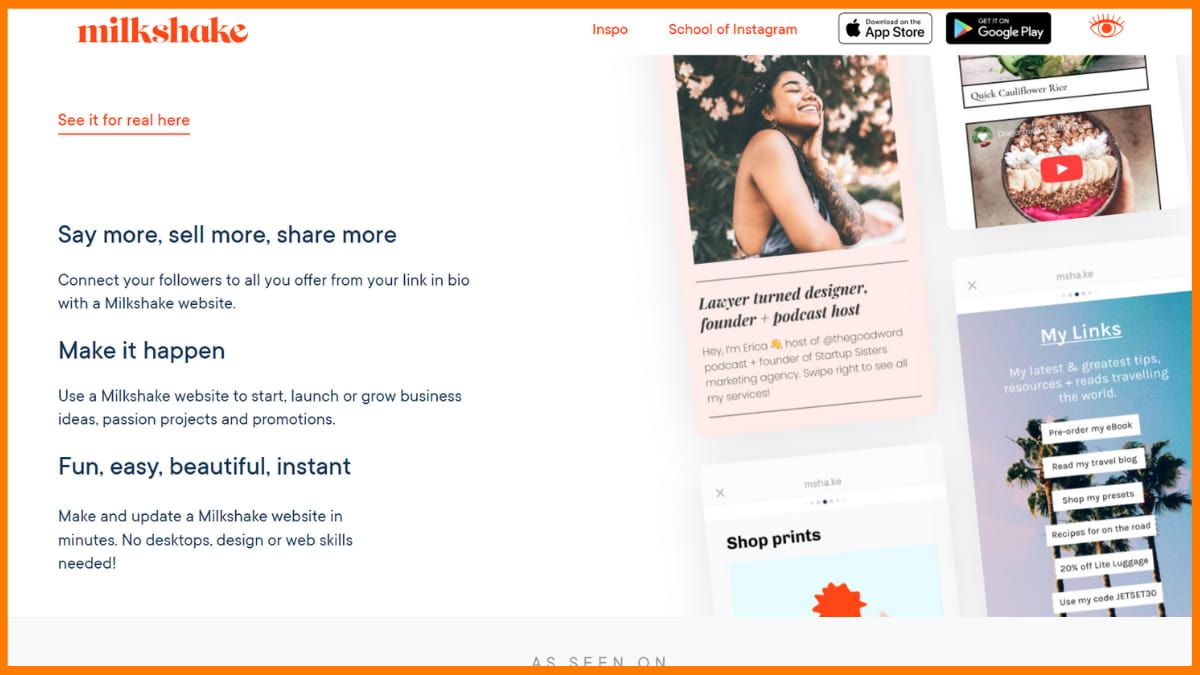
    The Milkshake app is a product of Envato Pty Ltd, available on both Google Play Store and App Store. Milkshake makes the process of creating and updating your website fast, fun, and easy using your mobile phone. The Milkshake app is a special favorite of Instagram users, who can connect their Milkshake site to their Instagram account by leaving the link to the site in the Instagram bio. One can design his Milkshake app using beautiful customizable cards that lead visitors to content or product pages.

    The Milkshake site helps users share more with their social media followers via beautiful cards and images. It helps users put everything they have to offer in one place with a link.

    Steps to Create a Free Blog on Milkshake

    Step 1: Milkshake provides its Android and iOS app to help users create blogs. So to get started creating your blog you need to download the Milkshake app from the app store. Once the installation is completed then sign up using any social media account or use your Email ID.

    Step 2: Now you need to select a card from the list, like about, link, top picks, and more. To create a blog, select the top picks from the available cards and choose the bank canvas. Here you can add a blog to your site, write a blog title, subheading, and add a featured image to your blog.

    Step 3: Choose from the given sets of templates to give your blog a good look. You can also customize the appearance of the blog by changing the font size, don’t family, background color, text color, and much more.

    Step 4: Once you are done with writing and formatting the blog, click on the publish button. As soon as you click on the publish button your blog will get live and you’ll get a URL of your site. You can also use a custom domain for your site to give it a professional look. It’s just one page but you can add multiple pages on your site like the about us page and contact us page.

    Perks of using Milkshake

    • You can create a website from your mobile in minutes.
    • Makes sharing on your social media platforms simple.
    • User-friendly for both a beginner and a pro.
    • You can customize the look with brand colours, fonts, logos, banner images, or display pictures that are professional and mobile responsive.
    • It is easier to use than a drag-and-drop website creator.
    • You can use embedded link images, to direct your Milkshake site visitors to landing pages or other pages you want them to visit.
    • You can also get insights into your website.

    Drawbacks of using Milkshake

    • Only the mobile app is available, you cannot access this tool through the web.
    • Limited customization features to give a blog your desired look and feel.
    • It doesn’t offer an SEO optimization feature. You can’t optimize your blog for Google ranking.
    • You can not extend the capability of the site because it doesn’t provide plugin add-ons.
    • Lack of built-in analytics tools for measuring the performance of your posts.
    • It has a limited number of templates so you don’t have many options to customize the look of the site.

    Weebly

    Website www.weebly.com
    Rating 4.3 out of 5
    Best For People who want a really easy website builder
    Sites Created Using Weebly 50 million sites
    Weebly - Free Blogging Site
    Weebly – Free Blogging Site

    Weebly is used by more than 50 million people around the world who are artists, makers, and creative entrepreneurs. It is based in San Francisco. You can use it to create a blog or online store. It has customizable templates and is easy to use.

    With Weebly, you can create a blog, sell products, and display your portfolio online. Weebly offers sidebars, media boxes, contact forms, ad placements, social media integration, newsletter subscriptions, and more. Additionally, the platform offers built-in analytics and the option to use a personalized domain name (for an extra fee).

    Weebly does not force advertisements on your website, but you have the option to earn money from Google AdSense and enable advertising.

    Steps to Create a Free Blog on Weebly

    Step 1: Go to the Weebly website and click on the get started button to sign up. You’ll be redirected to the Squareup site for registration because weekly is now part of Square products. Once you fill in the basic details and complete your registration, you’ll be asked to choose a site template. You can choose the templates from the bunch of templates provided by Weekly.

    Step 2: After that, you need to attach your domain name to this site. Don’t worry if you don’t have one, you can skip this step and start building your blog. Now you’ve landed on the powerful dashboard of Weebly where you can customize your site and change its appearance.

    Step 3: Once you customize the template, you can start writing a blog by clicking on the button “New post”. Here you need to write your blog post that you want to make visible to your visitors.

    Step 4: As soon as you complete writing your blog, click on the publish button. Congrats! Your first blog is now live.

    Perks of using Weebly

    • It is considered a modern site builder.
    • It has a usable interface, attractive themes, and strong commerce features.
    • You can customize your site, and the themes are meant to be responsive on Weebly desktops.
    • You can monitor your activity from the dashboard and see more features on the insights tab.
    • It has completely revamped its mobile apps for site editing on the go.
    • Weebly has an intuitive drag-and-drop builder designed specifically for touchscreens.

    Drawbacks of using Weebly

    • Its drag-and-drop interface makes it easy for users to create a website without code, but this also means that users have limited control over the code of their site.
    • Limited number of templates are available to choose from.
    • It offers basic SEO tools, but they have limited control over the optimization of your site for search engines.
    • Weebly is primarily designed for small-scale websites and may not be suitable for more complex sites that require advanced functionality.
    • Its formatting options are limited, and users cannot use custom templates or styles.

    Joomla

    Website www.joomla.org
    Rating 4.1 out of 5
    Best For People who are looking for a platform that is capable of handling heavy load
    Sites Created Using Joomla 2 million
    Joomla, Free Blogging Site
    Joomla, Free Blogging Site

    Released back in 2005, the website has seen many improvements. The website promises safety and reliability. Joomla is definitely popular among the best free blogging websites on the internet. It is a well-known content management system that enables users to create websites and blogs for their businesses. It runs smoothly on most web servers due to its ease of use and extensive free CMS tools.

    Joomla powers nearly 2 million active websites which makes up 3% of the entire web and creates your website with endless possibilities.

    Steps to Create a Free Blog on Joomla

    Step 1: Download the latest version of Joomla from the official website (https://www.joomla.org)

    Create a database for your Joomla installation on your web server or hosting account. Upload the Joomla files to your server or hosting account using an FTP client or the file manager provided by your hosting company.

    Step 2: Navigate to your Joomla installation directory in your web browser, and begin the installation process by filling in the necessary information such as database details and site settings. Once the installation is complete, you can log in to the Joomla administrator panel to customize and manage your website.

    Step 3: Now choose the desired templates and customize the appearance as per your need. Once you complete the customization you can start adding posts to your website.

    Step 4: Write the post in the editor and publish it when you are done. Your blog will get live on the internet. You can add different plugins to enhance the functionality of the site and improve the SEO of your blog.

    Perks of using Joomla

    • You can customize your website according to your specific needs with thousands of free extensions and templates.
    • The website is SEO and mobile-friendly.
    • It has a system that is flexible and fully extensible.
    • You can create multilingual websites in a hassle-free way.
    • Editing and publishing content is easy with Joomla.
    • It’s a go-to website for small businesses, governments, nonprofits, and large organizations.

    Drawbacks of using Joomla

    • The user dashboard is unattractive and complex to use for those who are not familiar with web development or have limited technical knowledge.
    • It is resource-intensive, which may slow down your website and require more server resources than other platforms.
    • Users need to keep the Joomla installation, extensions, and plugins up to date and follow best security practices to minimize risks of hacking.
    • It can be used to create a wide range of websites but it may not be the best choice for large-scale or high-traffic sites.
    • The installation procedure is complex and beginners may face difficulties while installing this CMS.

    Substack

    Website Substack.com
    Rating 4.7 out of 5
    Best For People who are looking to make money from their content
    Sites Created Using Substack 20,229 websites
    Create a Free Blog with Substack
    Create a Free Blog with Substack

    Started back in 2017, launched by Chris Best along with his former colleagues who are also the founders including Jairaj Sethi, Hamish McKenzie. Substack hosts inspiring writers and bloggers. During the recent epidemic, this San Francisco-based company gained popularity. Substack lets writers publish for free on Substack, with the substack subdomain. However one needs to pay a one-time fee of $50 USD per publication for adding a custom domain to Substack.

    Substack provides a great platform where writers can reach out to a wide audience. Writers can get started totally free, and they need to pay only when they acquire any paid subscribers. Substack charges 10% on the earnings made by writers via subscription charges and a small payment processing fee is also deducted from the writers’ earnings.

    Substack Tutorial and Review

    Steps to Create a Free Blog on Substack

    Step 1: Visit the website and create an account on Substack. You can sign up using your email address or by connecting your Google or Twitter account.

    Step 2: Once you’re signed in to your account you’ll see the dashboard of Substack. Click on the “Create a publication” button. Give your publication a name and a short description. Choose a template that best fits your content. Customize the design of your publication by choosing colors, fonts, and other settings. You can also upload a logo or header image.

    Step 3: Now click on the “New post” button to add a post to your blog. Start writing your first blog on the editor provider by Substack.

    Step 4: When you complete your writing, simply click on the publish button to publish the blog on your site. By default your URL will be .substack.com followed by your site name. You can also add your custom domain to your blog.

    Perks of using Substack

    • You have the freedom to classify the posts you publish as free or for paid subscribers.
    • Makes it easy to publish blogs as well as newsletters.
    • Newsletters sent using email help you grow your readers as well as reach out to a newer audience independently.
    • It makes a great platform for Writers, Journalists, and Artists to create their own space and have freedom over it.
    • It gives you the opportunity to create your own community.
    • It has an easy-to-use interface and a clean design.

    Drawbacks of using Substack

    • Since Substack is a platform that focuses on newsletters, your reach may be limited to your subscribed readers.
    • You don’t own your publication, it is hosted on Substack’s platform and you can’t move it somewhere else.
    • Analytics are relatively basic, so you may have a harder time understanding your audience.
    • As your publication is hosted on Substack’s platform, you are dependent on their uptime and service
    • It allows you to customize the design of your publication to some extent, the options are relatively limited compared to other website-building platforms.
    • It does not give users as much control over SEO as some other platforms, which can make it harder to get traffic to your blog.

    Yola

    Website www.yola.com
    Rating 3.9 out of 5
    Best For People who are not specialized in the creation of pages
    Yola Users 12 million users
    Yola - Free Blogging Platform
    Yola – Free Blogging Platform

    Featured on platforms like Forbes, The Wall Street Journal, Bloomberg Businessweek, Entrepreneur magazine, and more, Yola has over 12 million users. The website originated in Cape Town, South Africa, in 2007.

    Yola specializes in website building and hosting. There are hundreds of templates available that you can use, and you can also add photo galleries, videos, and an online store. You can use the website for free, or upgrade to include web hosting, a branded email address, and a personalized domain name. The website is designed to take your business online. With Yola, you can build a website that is smart, free, and flexible. Let’s look at some of the pros of using Yola.

    Steps to Create a Free Blog on Yola

    Step 1: Go to the Yola website and sign up for a free account. Once you have signed up, log in to your account and click on the “Create a Website” button. Choose the template that best suits your needs for your blog website.

    Step 2: Customize your template by editing the design and layout of your website. You can also add pages, widgets, and other elements to your website.

    Step 3: Once you are happy with the design, go to the “Pages” tab and click on the “Blog” option. This will create a blog page for your website. Click on the “Blog” page to edit it and add your first blog post. You can also add categories and tags for your blog posts.

    Step 4: When you’re finished writing your blog in the editor, take a preview. Once you’re satisfied with the post click on the publish button. Now your first blog post is live.

    Perks of using Yola

    • The site is available in six languages: English, French, German, Italian, Portuguese, and Spanish.
    • There’s a whole subsection of the site dedicated to tutorials that will help you create yours with ease.
    • You have the advantage of choosing from various styles and adding different elements like photos, videos, maps, forms, and much more.
    • No technical experience is required for you to start your blog with Yola’s easy drag-and-drop site builder.
    • If you have knowledge about it, then you can easily edit images online, as well as add HTML, JavaScript, and site-wide CSS.
    • You can also turn your site into an e-commerce site by integrating the Ecwid store builder widget to Yola.

    Drawbacks of using Yola

    • It does not have a mobile app, which makes it difficult to manage your blog on the go.
    • Yola’s free plan comes with limited storage and bandwidth, which can be a problem if you plan on adding a lot of images, videos, and other media to your blog.
    • It does not have built-in SEO tools that make it difficult to optimize your blog for search engines.
    • While Yola offers a wide range of templates and widgets, the customization options are limited compared to other website builders.
    • The support is limited to a knowledge base, FAQs, and email support. This can make it difficult to get help with specific issues.
    • Unlike many other website builders, Yola does not allow you to integrate your website with Google Analytics.

    How to Create Quality Content That Ranks and Bring Quality Traffic
    Creating High-quality content is a challenging task. Check the steps to create quality content through which you can bring quality traffic.


    Conclusion

    In conclusion, free blogging sites offer a great way for individuals and small businesses to create a blog and share their ideas and content with the world. With a variety of options available, from WordPress.com, Blogger (Blogspot), Wix, Medium, Tumblr, Ghost, and more it can be difficult to choose the right platform for your needs. However, by considering factors such as design, monetization options, and additional costs, you can make an informed decision and find the perfect platform for you.

    It’s important to keep in mind that while free blogging sites are a great way to get started, they do come with limitations such as limited storage space, and fewer customization options, and the platform may display its own ads on your blog. Additionally, you can’t access the source code of your blog on a free platform.

    However, if you are looking for an easy way to start blogging, a free platform can be a great way to get your feet wet and learn about the basics of creating and managing a blog. And if you decide to grow your blog, you can always upgrade to a paid platform in the future.

    FAQ

    Are there any completely free blog sites?

    WordPress is a site that has a free version that lets you blog completely free. Blogger is also totally free.

    Some popular free blogging sites in 2023 include WordPress.com, Blogger (Blogspot), Wix, Medium, Tumblr, and Ghost.

    What is the easiest blog site to use?

    Gator Website Builder by HostGator, WordPress.com, Squarespace, Blogger, Weebly, Tumblr, and Medium are some of the easiest blog sites to use.

    Are there any limitations to using free blogging platforms?

    Yes, free blogging platforms may have limitations such as limited storage space, and fewer customization options and the platform may display its own ads on your blog.

    Can I use my own domain name with a free blogging platform?

    Some free blogging platforms, such as WordPress.com, do allow users to use their own domain name for an additional cost. Others, like Blogger (Blogspot) and Tumblr, only allow users to use a subdomain provided by the platform.

    Can I monetize my blog on a free platform?

    Some free blogging platforms, like WordPress.com, have restrictions on monetization options. However, others like Blogger (Blogspot) and Wix, do allow users to monetize their blogs through ads or affiliate marketing.

    Can I access the source code of my blog on a free blogging platform?

    No, on a free platform, you don’t have access to the source code of your blog, you can only use the options and tools provided by the platform to customize your blog.

    Are there any additional costs associated with using free blogging sites?

    Some free blogging sites may charge for additional features such as storage space, removal of ads, or using a custom domain name. It’s best to research and read the terms of service before signing up to understand any additional costs that may be associated with using the platform.

  • Best No Code Development Platforms for Ecommerce Online Stores

    E-commerce is the relatively newer and lately more preferred method of trade and commerce. You can find almost everything you need on the internet, ranging from groceries to electronics, from books to even SaaS software. E-commerce has enabled us to buy and sell products online, and since the pandemic has forced us to stay indoors for most of the previous year, it has only encouraged E-commerce sales.

    E-commerce works with online stores selling either their own products or products that other people list for sale. Until a few years ago, building and managing an online store would require having extensive knowledge of web development frameworks, some of the popular ones being Node, React, Angular, and Django.

    However, with the advent of no-code e-commerce platforms, this has changed, and although some might still prefer custom-made landing pages and websites, the no-code E-commerce platforms are an ever-expanding regime of fresh and advanced features without the need for any code. This is why finding the best platform for eCommerce website development is hard.

    What is a No-Code E-commerce Development Platform?

    No Code E-commerce Development Platforms allow you to develop, manage, and run your own E-commerce platform and sell your products online without typing a line of code. Most of the best website builder software platforms offer pre-built templates and an efficient and intuitive drag-and-drop interface that make it easy to create and customize your store, add products, manage orders and payments and allow users to design and brand their own logos.

    Here we compare the top 5 no-code eCommerce development platforms, so you can choose the best suited for you in accordance with your design and the kind of store you want to run. Hopefully, this article will give you the best no-coding eCommerce website.

    BigCommerce
    Shopify
    SquareSpace
    Wix
    Weebly
    Swell

    BigCommerce

    Website www.bigcommerce.com
    Rating 4.4/5
    Founded in 2009
    Best for Retail businesses of all sizes
    Powering 95 thousand sites
    Entry Level Price $29.95/month
    Free Trial 15-Days

    Big Commerce No Code E-Commerce Platform
    Big Commerce No Code E-Commerce Platform

    BigCommerce is one of the best eCommerce development platforms as it allows you to build your own online store without any code and offers a free trial period of 15 days as you choose a suitable plan. It offers e-commerce development tools and essential features to design your storefront specific to your needs and helps you launch your store with expert E-commerce support. They manage updates, security, and hosting for you, allowing you to concentrate on meeting customer needs.

    Moreover, as you build your brand along the way, you can also scale your business with BigCommerce. Be it store management, or driving customer traffic to your store, this no code development platform can handle it all, and all you need to really focus on is selling the right product.

    BigCommerce Tutorial 2023 (Make an eCommerce Store The Easy Way)

    Features Offered by BigCommerce

    • BigCommerce is among the top nocode platforms as it offers some of the best inventory management tools to give the best user experience to your customers with a personalized approach.
    • It allows you to choose from the most trusted shipping and payment accepting services so you can have a customized experience.
    • The BigCommerce website builder helps you get to drive higher traffic to your store through advanced SEO strategies and customizable URLs.
    • Big Commerce also offers Plug-in POS integrations such as Square and Clover, along with channel integrations with giants like Amazon, eBay, and Facebook.
    • Advanced marketing tools help your customers enjoy an efficient experience and a streamlined checkout, so they keep returning.

    Pros:

    • A 15-day free trial is available
    • SEO tools to improve organic reach
    • Seamless selling on social media
    • One-click integration with Google Shopping
    • Robust page builder
    • Webinar, tutorial, and guide are available
    • Email Marketing tool
    • Easy to use

    Cons:

    • Doesn’t allow to add custom typeface in themes

    Pricing for BigCommerce

    BigCommerce offers 4 different pricing plans namely the Standard Plan, Plus Plan, Pro Plan, and Enterprise Plan. While Bigcommerce offers 15 days free trial. Most of the features of paid plans are similar such as mobile responsive website, single-page checkout, multi-currency support, and more. The pricing details of each plan are given below.

    Plan Monthly Pricing Annual Pricing
    Standard $29.95/month $29.95/month
    Plus $79.95/month $71.95/month
    Pro $299.95/month $269.96/month
    Enterprise Custom Price Custom Price


    Try BigCommerce Now


    Flipkart Online Shopping – Latest News, Subsidiaries, Owner, Business Model
    Company Profile is an initiative by StartupTalky to publish verified informationon different startups and organizations. The content in this post has beenapproved by the organization it is based on. Don’t you think online buying and selling has become an essential part of ourlives? Youth and adu…

    Flipkart Marketplace

    Shopify

    Website www.shopify.com
    Rating 4.5/5
    Founded in 2004
    Best for Best for Larger Businesses
    Powering 800 thousand sites
    Entry Level Price INR ₹20/month
    Free Trial 3-Days

    Shopify - No-Code eCommerce Development Platform
    Shopify – No-Code eCommerce Development Platform

    Shopify website is one of the most popular E-commerce platforms and the best no-code website builder software, as it allows users to build, manage and run their very own online stores. Shopify provides an online store, a payment processor for credit cards, and a POS app to support in-store transactions. This best website builder, allows you to start your online business, market and sell your products, and manage your store on a day-to-day basis, without having to type a single line of code.

    Statistics have shown that about 1 million businesses have delivered using Shopify, and have generated combined sales of over $200 billion. Numerous renowned brands, including Tesla Motors, Budweiser, Red Bull, LA Lakers, GoldieBlox and the New York Stock Exchange trust Shopify to power their business.

    Features Offered by Shopify

    • Shopify India offers an online platform for starting an online store and serving customers while you can also hire Shopify experts.
    • Shopify app offers tools such as Kit and Klaviyo for social media marketing so you can reach more customers.
    • Oberlo and Printful are some dropshipping tools offered to users by Shopify even furnishing you with the facility of print on demand.
    • With this no code development platform, you can sell anywhere and to anyone with a Point of sale, as well as online through your website.
    • Get the required insights with an interactive dashboard to manage payments and shipping, which is what makes it the top no code development platform.

    Pros:

    • Free trial is available
    • Abandoned cart recovery
    • Free SSL certificate
    • Analytics and reports
    • Marketing automation
    • Pre-built good-looking themes
    • 24/7 email and live chat support
    • Wide range of integration
    • Drag and drop store builder

    Cons:

    • Limited features in the basic plan
    • Difficult to migrate your site to other platform

    Pricing for Shopify

    Shopify India offers 3 different pricing plans, called the Basic Shopify plan, the Shopify plan, and the Advanced plan. The Basic plan is suited to new businesses, The Shopify plan is built for a growing business and the Advanced plan is more suited to scaling businesses. The pricing details of each plan are given below.

    Plan Monthly Pricing Annual Pricing (Save 10%)
    Basic INR ₹20/month (For 3 Months) INR ₹1,349.08/month
    Shopify INR ₹5,599/month INR ₹5,039.08/month
    Advanced INR ₹22,680/month INR ₹20,412/month


    Start Using Shopify Now


    Best No-Code App Builders in 2020 | Create App Without Coding
    No-code Web & Mobile Application Development Platform Software provides drag-and-drop tools that enable businesses to design, develop integrate mobile web applications quickly without coding.


    SquareSpace

    Website www.squarespace.com
    Rating 4.6/5
    Founded in 2007
    Best for A Dream for Creatives
    Powering 2 million sites
    Entry Level Price $23/month
    Free Trial 14-Days

    SquareSpace No Code E-commerce Platform
    SquareSpace No Code E-commerce Platform

    SquareSpace is another open-source no code platform that is among the top no-code development platforms as it offers creatives simple tools to build their own websites. This platform enables you to create a website quickly, even if you’re a beginner. It can be done using the well-known “drag and drop” technique. Its extensive selection of templates lets you build professional websites with minimal design. It offers a plethora of no code tools and industry-standard templates to choose from along with all the tools that you need to run your online store.

    SquareSpace makes E-commerce easy with a user-friendly website design and customer services, making it the best no-code web app builder. With SquareSpace, not just products from your inventory, you can also sell subscriptions and digital content.

    Features Offered by SquareSpace

    • Not just physical goods, with this no code desktop app builder, you can also help your business grow with appointments and other services.
    • Enable online bookings and calendars with customer emails and make a mailing list for email campaigns to reach a wider audience.
    • Integrate social channels and embed maps in your website to make announcements and guide your customers to find your business.
    • Offer flexible payments and checkout options to your customers with a built-in tax compliance tool and that is why it is the best no code platform.
    • Also, give out discounts and coupons to your customers to improve conversion rates and recover abandoned carts.

    Pros:

    • Robust online store builder
    • Blogging tools for product release
    • Built-in SEO tools
    • In-depth analytics
    • Mobile app is available
    • Free-trial is available
    • Free logo maker
    • Intuitive interface

    Cons:

    • Limited customizations options
    • Some users reported slow page loading speed

    Pricing for SquareSpace

    SquareSpace offers its users 4 different pricing options – Personal Plan, Business Plan, Commerce Basic Plan, and the Advanced Commerce Plan. While Business Plan is the most popular one, the Commerce Basic and Commerce Advanced plans are the ones you should explore if you wish to build an online E-commerce store. The pricing details of each plan are given below.

    Plan Monthly Pricing Annual Pricing
    Personal $23 per month $16 per month (Save 30% annually)
    Business $33 per month $23 per month (Save 30% annually)
    Commerce Basic $36 per month $27 per month (Save 25% annually)
    Commerce Advanced $65 per month $49 per month (Save 24% annually)


    Start Using SquareSpace Now


    Best 5 No Code Automation Platforms To Look Out for in 2021
    Top 5 no-code automation platforms to look out for in 2021 with features and pricing including Automate.io, Axiom, Boomi Flow, airSlate, and CRFT


    Wix

    Website www.wix.com
    Rating 4.4/5
    Founded in 2006
    Best for All-around website builder on the market
    Powering 220 million sites
    Entry Level Price ₹500/month
    Free Trial Not Available

    Wix No Code E-Commerce Platform
    Wix No Code E-Commerce Platform

    Wix is a no-code eCommerce website creation platform that helps you build, launch and manage your website in different niches including E-commerce. The all-in-one eCommerce website builder offers you all the tools that you need to successfully run your business or an online store tailored to your specific needs.

    It is also known to be the best platform for eCommerce website development, as you can connect with a team of professional designers and marketers to build your brand and start selling.

    With Wix, users have access to an intuitive drag-and-drop editor, professionally designed templates, and powerful tools that make it a breeze to create all kinds of websites – from online stores to small business sites. Wix offers many features in its plans, plus their templates have built-in features related to the specific industry. For example, a restaurant template would already come with a booking and billing feature!

    Create an Online Store That Stands Out | Wix eCommerce

    Features Offered by Wix

    • Wix offers an Open Development Platform and a rapid Front-end design for you to transform an idea and implement it with product managers.
    • It is among the best website builder software as you also get an Omnichannel Solution for Customer Support, fully integrated with your E-commerce suite.
    • Wix templates allow you to create a digital hub with media libraries and create password-protected pages to engage employees.
    • Wix website builder also offers scalable hosting, and enterprise standard security features, with compliance across various business niches.
    • You also enjoy third-party integrations and APIs and accelerated web development with team collaboration, making it the best website builder for small businesses.

    Pros:

    • More than 1000 designs
    • Mobile app is available
    • Free online store builder
    • 80+ payment providers
    • Wix logo generator
    • User-friendly UI
    • AI-powered ad campaigns
    • Email marketing tool
    • Excellent customer support

    Cons:

    • Doesn’t provide seamless template interchange
    • Need to install third-party apps for advanced functionality

    Pricing for Wix

    Wix Business and eCommerce Plans offer 3 different pricing plans called the Business VIP Plan, Business Unlimited Plan, and the Business Basic Plan. If a Wix Premium Plan does not meet your expectations, you can cancel your subscription within 14 days and get a full refund without any additional questions. The pricing details of each plan are given below.

    Plan Annual Pricing
    Business VIP ₹500/month, billed annually
    Business Unlimited ₹300/month, billed annually
    Business Basic ₹225/month, billed annually


    Try Wix Now


    Marketing Strategies of Dunzo [Case Study]
    The article reveals how Dunzo used its marketing strategies to their benefits. It shows how Dunzo makes delivery easy for their consumers.


    Weebly

    Website www.weebly.com
    Rating 4.3/5
    Founded in 2009
    Best for Creative entrepreneurs who want to build online store
    Powering 50 thousand sites
    Entry Level Price Free
    Free Trial 14-Days

    Weebly No Code E-Commerce Platform
    Weebly No Code E-Commerce Platform

    Weebly is a popular website builder that allows you to create and manage your e-commerce online stores without the need to know how to code. This “no code” development tool is user-friendly and intuitive. It makes it easy for anyone to create a professional-looking online store in a matter of minutes.

    Its drag-and-drop interface allows you to easily add and arrange elements on your website without needing to know HTML or CSS. This makes it simple for even those with no technical background to create a visually appealing online store. A variety of customizable templates and themes are available to choose from, so you can create a unique look and feel for your store that stands out from the crowd.

    Additionally, Weebly offers a wide range of e-commerce features including inventory management, shipping and tax calculations, and integration with popular payment gateways.

    Features Offered by Weebly

    • It allows you to create detailed product pages with multiple images, descriptions, and pricing options to showcase your products.
    • Shopping cart and checkout feature that allows customers to purchase multiple items at once and complete their purchase with a secure transaction.
    • Built-in email marketing feature that helps users to create and send newsletters to their customers.
    • All Weebly-built websites are optimized for mobile devices, ensuring that customers can easily browse and purchase products from their smartphones or tablets.
    • Built-in SEO tools to help you optimize your online store for search engines and improve its visibility in search results.
    • Customer Reviews to help your customer decide the best product.

    Pros:

    • Coupons and gift cards
    • Inventory and shipping management
    • Analytic tools
    • Customizable email templates
    • Bunch of pre-built templates
    • Mobile app is available
    • User-friendly dashboard
    • Help-center articles

    Cons:

    • Limited number of templates are available
    • The marketing feature is not up to the mark

    Pricing for Weebly

    Weebly offers 3 pricing plans i.e. Pro, Business and Business Plus. While the Pro plan is best for groups and organizations, the Business Plan is best for small businesses and stores, and the Business Plus plan is best for power sellers. The pricing details of each plan are given below.

    Plan Yearly Pricing
    Pro $12/month, when paid annually
    Business $25/month, when paid annually
    Business Plus $38/month, when paid annually


    Try Weebly Now

    Swell

    Website www.swell.is
    Rating 4.2/5
    Founded in 2015
    Best for Best for ambitious and intelligent brands
    Powering 1,119 sites
    Entry Level Price Free Plan
    Free Trial 14 Days

    Swell No Code E-Commerce Platform
    Swell No Code E-Commerce Platform

    Swell is another no code E-commerce development platform and the best website builder for online stores designed especially for ambitious and intelligent brands. This platform is designed to work with any type of online store, from direct-to-consumer to marketplace, multi-vendor, pre-order, subscription-based, B2B, wholesale, and enterprise sales. Swell makes it easy to create an eCommerce website by providing pre-built themes that contain all the components you need. You simply have to drag and drop items into place. Swell can be integrated with Builder.io, Shogun, and Next.js Commerce for e-commerce use.

    Swell no code desktop app builder is designed to help your business grow without having to worry about the infrastructure and maintenance of your website. This top no code development platform offers to rid your storefront from the backend using themes for modeling products. It provides brands and businesses with innovative tools to enhance their customer’s shopping experiences.

    Features Offered by Swell

    • Recover abandoned carts via email reminders and offer guest and custom checkout options to your customers.
    • Give out discount coupons for limited time periods along with storewide discounts and generate bulk coupons with discount conditions and is the best no code web app builder because of this feature.
    • Swell also allows for order editing along with payments and refunds, partial or full which is necessary for no code e-commerce.
    • Include custom options and create unlimited product attributes. You can also increase revenue by creating product bundles for tracking the inventory.
    • Get your own performance report and know what is selling and what isn’t. You can also export this data in a CSV format.

    Pros:

    • Abandoned cart recovery
    • Visual storefront editor
    • Multi-language and multi-currency support
    • Free plan is available
    • Help center articles and community support
    • Interactive and robust dashboard

    Cons:

    • Paid plans are expensive compared to other platforms

    Pricing for Swell

    Swell offers a Community plan which is Free and 2 pricing plans i.e. Standard and Enterprise plans. While the Community plan is best to launch and grow a new online store, the Standard Plan is more suited for scaling businesses that look to enhance their marketing, and the Enterprise plan is built for large enterprises looking for unlimited scalability, greater control, and dedicated resources. The pricing details of each plan are given below.

    Plan Monthly Pricing
    Community Free, pay only when you are selling
    Standard $299/month
    Enterprise $2,000+/month

    Limitations of No Code E-commerce Platforms

    As the demand for e-commerce solutions continues to grow, more and more businesses are turning to no-code platforms as a way to quickly and easily set up an online store. These platforms, which require no coding or technical expertise, offer a simple and intuitive way to create and manage an e-commerce website. However, it’s important to understand that while no-code e-commerce platforms can be a great option for certain businesses, they also come with certain limitations that need to be considered.

    • No-code e-commerce platforms have limited customization options. Many of these platforms use pre-built templates and themes, which can make it difficult to create a truly unique and customized online store. Additionally, many no-code platforms have limited functionalities, which can make it difficult to create a complex or highly customized e-commerce site.
    • These platforms may not be able to handle a large amount of traffic or data. This makes it difficult to scale up a website as a business grows. The platform may not offer options for upgrading to more powerful servers or adding additional resources, this makes it difficult to scale the website as it grows. Many of these platforms are designed for small to medium-sized businesses and may not have the scalability and performance capabilities needed for larger or more complex e-commerce sites.
    • Your website will be dependent on the platform and you may not be able to export the website if you wish to change the platform. Many platforms don’t allow their users to shift from their platform to another platform seamlessly.
    • No Code E-commerce platforms may not have the same level of functionality as a website built with code. You may not be able to add custom features or integrations that are important to your business.

    Conclusion

    Starting an E-commerce website has proved to be a great source of revenue lately, and depending on your inventory, you can efficiently scale your business with an online store. Most of the above-listed eCommerce development platforms allow you to develop your own E-commerce store without coding by using their eCommerce development tools. While some of them allow for the use of custom code but aren’t mandatory.

    While some of them are focused on E-commerce platforms, others like Wix help you build any kind of website that you need, and while some of the platforms are built to sell physical goods, others like SquareSpace also allow you to sell digital assets. So whatever the niche you’re planning to set up your online store in, you can always choose from one of the no-code eCommerce websites listed above to build your website without code.

    It’s worth noting that while these no-code eCommerce platforms make it easy to set up and manage an online store, they may have certain limitations in terms of customization options. Each of these platforms has its own set of features, pricing plans, and integrations, so it’s important to compare them to see which one best fits your needs.


    MagicPin Success Story – Business Model | Founders | Funding | How it works
    Company Profile is an initiative by StartupTalky to publish verified informationon different startups and organizations. The content in this post has beenapproved by the organization it is based on. Exactly when the smartphones became the devices that could do everything, theusers started feelin…

    Magicpin- Online Business Discovery

    FAQs

    How do you make a platform without code?

    To build features in a no-code platform, you drag and drop modules into a logical chain. In essence, no scripting is needed as everything has already been developed or visually modeled; all you have to do now is drag, drop, and assemble.

    How do I make an eCommerce app?

    Follow these steps to create your own eCommerce app:

    • Enter the name of your app. Select the category that suits best your need.
    • Add the features you want. Create an eCommerce App in minutes without any coding.
    • Publish the app on app stores. Make shopping easier with your eCommerce App.

    What are no code low code platforms?

    Low-code/no-code development platforms are types of visual software development environments that allow enterprise developers and citizen developers to drag and drop application components, connect them together and create mobile or web apps.

    Will low code replace developers?

    Small businesses may still face a significant hurdle in accessing these platforms and starting to use them to build apps in-house. Low-code and no-code platforms will likely never replace traditional development fully.

    What is a no-code backend?

    No-code development platforms (NCDPs) allow programmers and non-programmers to create application software through graphical user interfaces and configuration instead of traditional computer programming.

    Are no-code eCommerce platforms suitable for large businesses?

    No-code eCommerce platforms are generally better suited for small and medium-sized businesses. However, many platforms have the scalability to handle large numbers of products and customers, and support for customization through the integration of 3rd party apps. Additionally, for businesses of any size, it might be a good idea to consult with an expert to ensure that your platform will meet your business’s needs.

    Some popular no-code eCommerce platforms include Shopify, Wix, Squarespace, Weebly, and BigCommerce.

    Are no-code eCommerce platforms expensive?

    The cost of using a no-code eCommerce website can vary depending on the platform you choose and the specific features you need. Some platforms have a monthly or yearly subscription fee, while others take a percentage of sales. However, many platforms offer a free trial or a basic plan with limited features at no cost which can be a great way to get started.

    Can I integrate my existing website with a no-code eCommerce platform?

    Many no-code eCommerce platforms provide various options for integrating your online store with your existing website. This can typically be done by adding a “Buy” button or a shopping cart to your website, or by embedding the store into a specific page or blog post. Some platforms also provide APIs and developer tools that allow for more advanced integration options.

  • Best No Code Website Builders For Quick and Easy Website Creation In 2023

    Today websites have become an integral part of networking and business. Be it a local shop owner or the biggest businessman, everyone is going DIGITAL! To enhance the business, one of the very first things that come to mind is to build a website.

    A website is a door to building a business or company online. But most of the time, these people get stuck on, how to build a website. Creating a website can be a daunting task, especially for those who are not tech-savvy or do not have the time or resources to learn coding languages. That’s where low code no code website builders come in. These tools allow you to build a professional-looking website without any coding knowledge or experience. Whether you are a startup, small business owner, shop owner, artist, consultant or writer, and so on, there is always a website builder out there for you if you have no knowledge about coding.

    But the real task is to choose the best no code website builder for you, that will best suit your skills and abilities. There are a few factors to consider when choosing the best no code website builder for your needs:

    1. Ease of use: Look for a website builder that is user-friendly and has a simple, intuitive interface. This will make it easier for you to build and customize your website.
    2. Templates and design options: Choose a website builder that offers a wide range of templates and design options, so you can find a look that reflects your brand and style.
    3. Advanced features: If you need advanced features like e-commerce integration or the ability to add custom HTML or CSS code, make sure the website builder you choose offers those options.
    4. Customer support: Look for a website builder that offers good customer support, such as a help center, FAQs, or live chat. This will make it easier to get help if you run into any issues while building your website.
    5. Pricing: Consider your budget when choosing a website builder. Some offer free plans with limited features, while others have paid plans with more advanced features. Determine what features are most important to you and choose a website builder that fits your needs and budget.
    6. Reputation: Look for a website builder that has a good reputation among users. You can check out online reviews and ask for recommendations from friends or colleagues to get an idea of which website builders are the most reliable and user-friendly.

    Top “No-Code” Website Builders

    In this blog post, we’ll be looking at 8 of the best low code no code website builders for quick and easy website creation in 2023.

    Wix
    SquareSpace
    Pixpa
    Weebly
    WordPress
    Shopify
    Webflow
    Universe


    Top No-Code Development Platforms | Why No-Code? | Benefits of No-Code
    In this internet age, the world is innovating day-to-day. There are numbers of
    software developing day-by-day. In this tech world, many companies want to
    develop their software to reduce the tension and manpower and to increase the
    efficiency of the business. If you are an employee of an IT company …


    Top No-Code Website Builders

    Wix

    Rating 4.2/5
    Best For Overall best no-code builder for beginners, artists, creatives, and design studios
    Deployment Web-based, cloud, SaaS
    Free Trial Unlimited
    Wix - Top No-Code Website Builder
    Wix – Top No-Code Website Builder

    When it comes to the top no-code website builders, Wix for sure is one of the most highly rated ones among users to easily create professional-looking websites without any coding knowledge or experience. With a complete package of advanced tools and features, Wix is a famous go-to option for a lot of website developers and normal novices as well.

    Wix is meant for everyone. Whether you’re a startup, small business owner, blogger, artist, or simply want to create a personal website, Wix has the tools and features you need to get your website up and running in no time.

    With its user-friendly drag-and-drop editor and wide range of templates and design options, Wix makes it easy for users to customize their website’s look and feel. Wix let’s build a professional-looking website with complete text, images, and a lot more. Wix also provides complete design freedom for its users.

    Features of Wix Website Builder:

    • You can access a variety of professionally designed website templates, organized by industry.
    • Includes a drag-and-drop store builder and image editor.
    • Photo galleries.
    • Optimizing for mobile devices.
    • Many add-ons and integrations are available, enabling full site customization.
    • The ability to build multiple free websites with a single account.
    • Create a website in minutes using Wix AI website builder, just answer a few easy questions.

    Wix Pricing Package:

    Plan Works for Pricing
    Free Development Use ₹0
    Connect Domain Most basic ₹80/month
    Combo Personal Use ₹125/month
    Unlimited Entrepreneurs and Freelancers ₹185/month
    VIP First Priority Support ₹325/month


    Create Your WIX Website For FREE

    SquareSpace

    Rating 4.4/5
    Best For No-code builder with the best-designed templates
    Deployment Web-based, cloud, SaaS
    Free Trial 14 Days
    Squarespace No Code Website Builder
    Squarespace No Code Website Builder

    Squarespace is one of the most visually impressive drag and drop website builders out there. It is a kind of SaaS-based content management system (CMS) which consists of an internet site builder, blogging platform, and hosting service. Squarespace provides creative tools to make an exceptional website. It allows real point and click interaction which proves your site’s building speed.

    However, it’s going to sometimes feel a touch minimalistic and requires a touch of your time to master the editor completely. Although a number of the pages have icons that don’t clearly explain their purpose, Squarespace gives many great tutorials that specify all the tools. Overall, it is worth a no-code website builder if you would like to create a trendy and well-designed website.

    Website Templates on SquareSpace
    Website Templates on SquareSpace

    Features of Squarespace

    • Over 140 pre-made designs.
    • Different ways to sell digital and physical products.
    • Various payment methods such as PayPal, Stripe, and Square.
    • Automated tax and shipping cost calculation.
    • Third-party integrations and add-ons.
    • Weglot integration enables multilingual support.
    • Create a member area to monetize your expertise.
    • Seamless integration with Google Ads and Google Analytics.
    • Integrate with Mailchimp to construct email marketing campaigns and subscriptions.

    Squarespace Pricing

    Plan Pricing
    Personal $16/month, Save 30% annually
    Business $23/month, Save 30% annually
    Basic Commerce $27/month, Save 25% annually
    Advanced Commerce $49/month, Save 24% annually


    Try Squarespace Now

    Pixpa

    Rating 4.7/5
    Best For Best Photography Site Builder
    Deployment Web-based, cloud, SaaS
    Free Trial 15 Days
    Pixpa - no-code website builder
    Pixpa – no-code website builder

    Pixpa is the leading no-code website and store builder for photographers, artists & designers. Pixpa empowers creatives to easily build and manage a beautiful, professional website with a built-in online store, blog, and client galleries. Pixpa’s all-in-one platform has everything you need to showcase, share & sell your work online and grow your business.

    With a beautiful range of professional, mobile-friendly, and responsive templates and an easy-to-use, and intuitive visual editor, Pixpa makes website building easy and efficient. Its customer support team is available 24×7 through email and live chat to answer any queries and fix any issues that might arise.

    Build Your No Code Website with Pixpa

    Features of Pixpa

    • Easy to use.
    • Clean, simple, cost-effective platform.
    • 150+ fully-customizable templates.
    • Perfect for portfolio websites.
    • Fast and proactive customer support.
    • Pixpa website is mobile-friendly and works great on all mobile devices.
    • Pixpa themes are built to work on all modern browsers and mobile devices.
    • Personalized gallery apps for clients.

    Pixpa Pricing Packages

    You can start with Pixpa’s 15-day, a full-featured free trial that does not require a credit card. They provide a 30-day money-back guarantee and you can get a full refund if you are not happy with your experience. And with the limited-time deal, you can save up to 50% with their annual plans.

    Plan Pricing
    Basic ₹208/month, Billed Yearly
    Creator ₹312/month, Billed Yearly
    Professional ₹469/month, Billed Yearly
    Advanced ₹625/month, Billed Yearly


    Create Your Website With Pixpa Now

    Weebly

    Rating 4.2/5
    Best For Best free no-code website builder
    Deployment Installed – Mac, Installed – Windows, Web-Based, Cloud, SaaS, iPhone / iPad, Android
    Free Trial Unlimited
    Weebly no code website builder
    Weebly no code website builder

    Weebly is a free low code no code website builder that allows anybody to build their websites easily and quickly. Weebly has become part of Square Online, you can now take advantage of Square Online Checkout and add a Buy button to your website, making it easy for you to receive payments. Moreover, Weebly has included the Square Photo Studio, announcements features, and more. It is one of the best free website builders in the market today.

    The website allows its users to use a subdomain name if it is available. Users can purchase a domain name directly from Weebly or use an existing domain name via a redirect. It’s very intuitive to use, and its simple drag-and-drop platform has effectively created a way for everybody to build websites in a very quick and painless manner.

    Features of Weebly

    • Weebly is a part of the Square product suite that allows customers to pay however they choose.
    • 24/7 customer support is available through chat, email, or phone.
    • Mobile version available.
    • More than 40 mobile-friendly, responsive, and highly customizable themes.
    • Ability to create an online store
    • Easy team management
    • A drag-and-drop editor makes it simple for creating a website without coding.
    • Professional templates are available with a wide selection.
    • SSL certificate offered for free.
    • SEO and advanced analytics tools.
    • Can be paired with different add-ons to increase its capabilities.

    Weebly Pricing

    Plan Works For Pricing
    Free Basic use $0
    Connect Connect a domain $10/month, when paid annually
    Pro Groups and Organizations $12/month, when paid annually
    Business Small businesses and Stores $25/month, when paid annually

    Pro and Business plans offer additional perks like Free Domain (worth $20) and Google Ads ($100 credit).


    Try Weebly For Free


    10 Best SEO Tools That SEO Experts Actually Use in 2020 | SEO for SaaS
    Get a Free Demo of SEMRush
    [https://www.semrush.com/lp/seo-tools/en/?ref=6204634298&utm_campaign=seo_
    campaign&utm_source=berush&utm_medium=promo&utm_term=198]


    WordPress

    Rating 4.4/5
    Best For Best for Building Scalable Websites
    Deployment Web-based, cloud, SaaS
    Free Trial 14 Days
    Wordpress Website Builder
    WordPress Website Builder

    WordPress is one of the most popular content management systems that is used by many website owners all over the world. WordPress stands out from the rest of the website builders listed on this page. It was primarily created to be a blogging platform, rather than an online website builder. Websites can be built without any coding using plugins like Elementor and Divi, but there is also the possibility of adding custom code. WordPress provides over 9,600 themes to choose from, thus making adding content to the website a breeze. You can create any type of website with WordPress without having any technical knowledge.

    Features of WordPress

    • Numerous website templates can be easily tailored.
    • User-friendly blog interface.
    • Built-in analytics tools and other marketing resources.
    • SSL certification is available at no cost.
    • The capability to build an unlimited number of free websites with one account.
    • All plans, including the free plan, come with unlimited bandwidth.
    • WordPress can be installed with just one click.
    • Drag and drop design tool.
    • Expand your capabilities by using sites and plugins.
    • Customizable website design.

    WordPress Pricing

    Plan Best for Pricing Description
    Personal Personal Use ₹160/month, billed yearly Build a personal website with a custom domain, and access to email and live chat support.
    Premium Freelancers ₹280/month, billed yearly Build a unique site with advanced design tools, custom CSS, and Google Analytics support.
    Business Small Businesses ₹640/month, billed yearly Power your business with custom plugins & themes, 200 GB storage, and 24/7 live chat.
    eCommerce Online Stores ₹1,152/month, billed yearly Open your online store with a powerful, flexible platform designed to grow with you.

    Shopify

    Rating 4.4/5
    Best For Best no-code eCommerce website builder
    Deployment Web-based, cloud, SaaS
    Free Trial 14 Days
    Build an E-commerce Business Website with Shopify
    Build an E-commerce Business Website with Shopify

    Shopify is one of the best no-code website builders for small business eCommerce websites, founded in 2016, it allows anyone to set up an online store and sell their products. Shopify has a lot of features. It lets you sell products online, process payments, detect fraudulent sales, creates financial reports, integrate with your Point of Sale, and lets you track orders.

    It’s best to create your online store using this eCommerce platform and see for yourself. If you’re looking to make money online, Shopify is the best platform for online retailers. You can take advantage of the free trial to test it out for yourself to see what all the hype is about. Shopify is all about making commerce better for everyone so it might just be the perfect platform for you.

    Features of Shopify

    • An intuitive and feature-rich visual editor with a professional feel.
    • Ready-made templates and themesPopular payment methods.
    • Utilizing B2B and Shopify POS to maximize conversion rates.
    • Inventory management tools.
    • Tools to generate engagement.
    • Instant customer insights.
    • A large number of third-party extensions are accepted by the platform.
    • Over 70 professional themes are available.
    • Complete access to HTML and CSS.
    • Payments are secure and use 3D secure checkouts to meet PCI standards.
    • Compatible with Google Analytics.

    Shopify Pricing Plans

    Plan Pricing Description
    Basic Shopify $29/month Everything you need to create a new website
    Shopify $79/month Everything you need for a growing business
    Advanced Shopify $299/month Advanced features for scaling your business


    Create Your Ecommerce Website With Shopify Now


    Software as a Service (SaaS) Revenue Model
    For customers, the benefits of the SaaS model are clear. It brought lower
    costs, lower commitment risk, and a try-before-you-buy model, which gave
    customers a remarkable opportunity to assess a product before making a purchase.
    Indeed, the benefit is so clear that a 2017 study conducted by BetterCl…


    Webflow

    Rating 4.4/5
    Best For Best Professional No-Code Site Builder
    Deployment Web-based, cloud, SaaS
    Free Trial Unlimited
    Webflow Best No-Code Site Builder
    Webflow Best No-Code Site Builder

    Webflow is a popular low code no-code website builder that lets you easily design and customize your website in minutes. It helps in building a powerful website, with no code approach. Webflow is an all-in-one package. It combines designing, animation, content management, content marketing, and e-commerce tools all together in a single web development platform.

    It benefits non coders as well as coders to promote and develop websites of all kinds in a faster, more collaborative, and cost-efficient manner. The platform best suits anyone looking to build a powerful website, website application, landing pages, or prototypes with no coding.

    How to use webflow to build and design your own website from scratch

    Features of Webflow

    • Powered by Amazon Web Services.
    • You can design your perfect website with our blank canvas option.
    • Completely maintenance-free, with no packages to install or updates necessary.
    • SEO tools are already integrated.
    • No cost until the website is ready to launch.
    • Over 100 responsive website templates are available.
    • More than 2,000 web font varieties.
    • Interactive elements.
    • SEO and Open Graph (OG) settings that are adjustable.
    • Set of custom 404 pages.
    • Content Management System (CMS) with complete customization.
    • You’ll get an auto-generated XML sitemap and lots more.

    Webflow Pricing

    Webflow offers two types of plans – Site Plans and Account Plans.

    Site Plans

    Plan Pricing Description
    Website Basic $14/month, billed yearly Best for a simple site that doesn’t need a CMS
    CMS $23/month, billed yearly Best for a blog or other content-driven site
    Business $39/month, billed yearly Best for a higher traffic marketing site or blog
    Enterprise Custom Pricing Bring Webflow to your company with exclusive features
    Ecommerce Standard $29/month, billed yearly Perfect for new businesses getting off the ground
    Plus $74/month, billed yearly Best for higher volume businesses that need additional features
    Advanced $212/month, billed yearly Scale and reach new heights for your online business

    Workspaces Plans

    Plan Pricing Description
    For In House Teams Starter Free For those getting started and learning Webflow
    Core $17/month, Billed Yearly For small teams
    Growth $49/month, Billed Yearly For growing teams
    Enterprise Custom Pricing For organizations that require enterprise-level security and scalability for their websites
    For Freelancers and Agencies Starter Free For those getting started and learning Webflow
    Freelancers $16/month, Billed Yearly For solo shops or small teams
    Agencies $35/month, Billed Yearly For scaling businesses managing multiple clients


    Create Your Website With Webflow Here

    Universe

    Rating 4.0/5
    Best For Make a website from your phone in minutes
    Deployment iPhone/ iPad
    Free Trial Unlimited
    Universe Website Builder
    Universe Website Builder

    You can make a website from your phone in minutes with Universe Website Builder. The universe is a website builder and eCommerce platform built for mobile devices. This platform helps to assist in boosting business presence on the internet, all from just the palm of your hand. Its unique drag, drop and publish features, make website building a very easy task.

    Due to this very reason, universe users range from businessmen, and entrepreneurs to various creators, those who wish to run their business online smoothly and efficiently. It has one tap checkout facility and is easy to use and simple setup, which makes it easy for novices as well as designers.

    This app was designed for people on the go. It’s effective for throwing together a quick site for people to be able to reach you on Twitter, Snapchat, Instagram, Facebook, etc. It can also be used to create simple landing pages for email opt-ins or product offers.

    Features of Universe Website Builder

    • Gaining access to a custom domain.
    • Capability to generate and manage online marketplaces.
    • Personalized email address.
    • Fast payment processing.
    • Comprehensive website analytics.
    • Securing a website with TLS.
    • Improving ranking in Universe search.
    • Universe Pricing

    Pricing for the pro version is $12.99 for one month and the pricing for one year is $102.99. You can also use the free version by downloading the Universe Web Builder from the app store.

    Conclusion

    These no-code web builders facilitate the process of website designing, making it accessible and possible for everyone to create a professional-looking website quickly and easily, be it a professional or a novice. With their user-friendly drag-and-drop editors and wide range of templates and design options, you’ll be able to create a website that reflects your unique style and personality.

    FAQ

    What is a no code website builder?

    A no code website builder is a tool that allows you to build and customize a website without any coding knowledge or experience. These tools typically offer a range of templates, design options, and drag-and-drop editors that make it easy to create a professional-looking website.

    Are no code website builders suitable for all types of websites?

    No code website builders can be used to create a wide range of websites, including personal websites, blogs, business websites, online stores, and more. However, some no code website builders may be better suited for certain types of websites, such as those with advanced features like e-commerce integration or the ability to add custom HTML or CSS code.

    Are no code website builders free?

    Some no code website builders offer free plans with limited features, while others have paid plans with more advanced features. It’s important to consider your budget and needs when choosing a no code website builder, as some may offer better value for money depending on your specific requirements.

    Can I add custom code to my website built with a no code website builder?

    Some no code website builders allow you to add custom HTML, CSS, or JavaScript code to your website. This can be useful if you want to add advanced features or customize the look and feel of your website beyond what is possible with the website builder’s templates and design options.

    What is the cheapest No-code Website Builder Available?

    The cheapest No-code website would be WordPress starting at just 160/month which is roughly $2.20/month.

    Do I need any Knowledge in Coding to build a Website?

    Thankfully the answer to this is a Big NO! Thanks to these drag-and-drop website builders, you do not need to know a line of coding to make your own website.

    Are no code Website Builders Reliable?

    Yes, absolutely. There are thousands of websites being built with these no-code platforms every day!

    Do I need to hire a Freelancer to Build a Website for me?

    Nope. Even without any knowledge of coding, you can build your own website by yourself. The no-code platforms are created to make it user-friendly for even amateurs to use it. They have a simple Drag and Drop Interface which makes it very simple to create a website.

    Are no code website builders secure?

    Most no code website builders take security seriously and offer a range of features to protect your website and its users. However, it’s always a good idea to check the security measures offered by a website builder and take any additional precautions necessary to protect your website.

  • 10 Best CMS to Look For In 2021 | Best Content Management System

    Want to build your own website to publish relevant content, but don’t have the necessary skills? Well, you’re not the only one facing this dilemma. A lot of content creators are equipped with the best content, yet without the required technical knowledge, they fail to build a website.

    A CMS (Content Management System) is a tool or SaaS, that helps you upload and publish content on a regular basis, without the need for any technical skills. All you need is to have fresh and original content.

    Content Management Systems, abbreviated as CMS, help users curate, manage, edit, and publish content on a website without needing any technical knowledge. It handles and also lets you choose from a collection of templates to create the basic infrastructure of web pages and other functions, and allows you to focus on the content that you publish.

    Here is a brief run-through I’ll come up with within this article. But before that let me tell you how these CMS work.

    WordPress
    Drupal
    Joomla
    Wix
    Squarespace
    Weebly
    Magento
    Blogger
    OpenCart
    Shopify

    How do CMS (Content Management Systems) Work?

    To better understand how a CMS works, let’s compare curating a web page with and without a CMS. Without a CMS, you’ll need to write code for the front end using HTML, CSS, and other scripts; and that isn’t just about it. You will also need to include every media file, and link all databases with your code.

    However, with a CMS (Content Management System), all you need is to write down your content in an interface as simple as MS Word itself. You can also link all media files including images, videos from the media library without having to interact with the server.

    There are various reasons, you would rather have a Content Management System, instead of acquiring the technical skills and then building your website. However, when it comes to choosing a CMS, it can be a bit tricky.

    There are systems such as Magento, that are more popular for creating e-commerce stores while others like WordPress help you publish your blogs. Hence, while choosing a CMS, you need to be sure to make the right choice.

    10 Best CMS Options You Should Check Out Today

    So here we discuss the 10 best Content Management Systems that you can decide on.

    WordPress

    Rating

    4.6/5

    Wordpress Website | Best Content Management System
    WordPress Website 

    WordPress is simply one of the best and most popular Content Management Systems. From hosting to a custom domain, WordPress offers you to choose from a number of different themes and plugins, and create your website in a matter of minutes.

    WordPress offers users a suite of products including blogs, websites, e-commerce, and domains, along with self-hosted solutions. Also, there are a plethora of templates to choose from with themes meant for portfolios, food or travel blogs, and even e-commerce.

    Pros

    • WordPress CMS is user-friendly, as its origin is from blogging only, it gives you a headstart in this matter.
    • It has over 54000 plugins, most of which are free to use by WordPress users.

    Cons

    • Sometimes updates in the system can lead to some small problems on the website and to solve them, you may have to go back to the older version.
    • WordPress has thousands of themes available but some of them contain generic codes that are not needed, which in turn slow down the site.

    Pricing

    Plans Price
    E-commerce Plan ₹ 1152/month
    Business Plan ₹ 640/month
    Personal Plan ₹ 160/month
    Premium Plan ₹ 280/month

    Drupal

    Rating

    4.4/5

    Drupal Website | Best Content Management System
    Drupal Website

    Drupal is a popular Content Management System, with separate suites for Developers, Marketers, and Agencies. From retail to fintech to e-commerce, Drupal offers solutions for all major industries, and users can efficiently and seamlessly build a custom website using its intuitive interface. Moreover, be it security or scaling, Drupal covers all of it with multilingual support and personalization.

    The services that Drupal offers include marketplace, hosting, and training, and makes it simple for users with newsletters, user guides, documentation, and support. You can also choose from a number of themes based on the website or page that you want to build, with the best-in-class tools and services.

    Pros

    • One of the bigges advantages of Drupal is that it is free to use. Anyone can download and use the CMS service according to their project need.
    • Regular software updates is available, fix bugs that can hinder teh experience of the users.

    Cons

    • The interface of Drupak is not a friendly one and without a developers assistance, it us quite a challenge to manage.
    • Modules are limited and third-party modelscan create problem inyour website, if they are not optimised at a proper time.

    Pricing

    Free

    Joomla

    Rating

    4.1/5

    Joomla Website | Best Content Management System
    Joomla Website

    Joomla Content Management System is an extremely flexible platform for content creators across different niches. Joomla offers users thousands of free extensions and templates to choose from, with a multilingual approach.

    The websites you create with Joomla are also mobile-friendly, flexible, and extensible, while also granting you multi-user permission levels. Moreover, with resources such as Developer Network and Security Center, Joomla supports its users with Documentation, Framework, and Joomla code.

    Pros

    • The edit of your content in the website is very easy to do.
    • It is easy to use as the interface is designed in a way that it is user-friendly.

    Cons

    • The number of modules available here are limited.
    • The complexity of Joomla is evident.

    Pricing

    Free

    Wix

    Rating

    4.5/5

    Wix Website | Best Content Management System
    Wix Website 

    Wix is a more popular website builder and offers you a collection of more than 500 ready-to-use templates for different niches. Wix furnishes its users with an intuitive and easy-to-use interface, where most of the website can be built just by dragging and dropping elements, be it media files, buttons, or other website elements.

    Moreover, the websites that you build using Wix are mobile-friendly, and can easily be viewed on your smartphone’s browser. Also, Wix offers you a custom domain that you can use to match the branding of your business for a more professional approach.

    Pros

    • Wix has one of the biggest template collection to choose from. It provides over 500 templates that you can use.
    • The interface of the site is extremely user-friendly, it has got a mobile editor through which you can see how the site would look like in through a mobile and edit according to it.

    Cons

    • Once picked, your content cannot be transferred to another template. It is not changeable.
    • The customization option is limited.

    Pricing

    Plans Price
    VIP ₹ 325/month
    Unlimited Entrepreneurs & Freelancers ₹ 185/month
    Combo ₹ 125/month
    Connect Domain Most Basic ₹ 80/month


    Best No Code Website Builders in 2021 | Build a Website Without Code
    This is a list beginner-friendly drag and drop website builders out there which makes it easy to build your website without code.


    Squarespace

    Rating

    4.3/5

    Squarespace Website | Best Content Management System
    Squarespace Website

    Squarespace is one of the best website designers out there, if not the best; and even that would be an understatement. Be it a professional website to drive traffic, your own portfolio, or even e-commerce, with award-winning Squarespace designs, you can turn your ideas into reality.

    Squarespace allows you to hire an expert while also offering connected services and enterprise solutions. Moreover, with resources such as blogs, help guides, webinars, and forums, Squarespace supports you to make the best use of its services in an affordable price range.

    Pros

    • Squarespace offers good number of templates to choose from.
    • Squarespace provides everything in a single platform, that is widgets, plugins and apps all are built in here.

    Cons

    • Sqarespace is quite expensive and their plans include single websites.
    • Third-party app, plugins and extensionsre not supported in Squarespace.

    Pricing

    Plans Price
    Personal Plan $16/month
    Business Plan $26/month
    BASIC Commerce Plan $35/month
    ADVANCED Commerce Plan $54/month


    Guide To Help You Choose Right Hosting For Your Blog
    One of the most common ways of sharing and transmitting knowledge and news hasrapidly become blogging [/blog-writing-tips/]. Millions of blogs are practicallyonline. It’s a great way to express yourself and a great way to exchange datawith others as well. As a novice, you would want a forum for …


    Weebly

    Rating

    4.1/5

    Weebly Website | Best Content Management System
    Weebly Website

    Weebly allows you to build a professional and scalable website with customizable web page designs and other powerful tools. Have the liberty to use a drag and drop interface, custom fonts, in-built image editor, video backgrounds, and embed audio and videos with stunning quality with Weebly.

    You can build online stores with professionalism along with growing your business with SEO and marketing tools. Maintain your store, manage shipping and track your inventory, all from one place.

    Pros

    • Themes can be changed without any problem.
    • Interface is extremely user-frienly.

    Cons

    • Customer support is not that great and is quite expensive.
    • Image editing in Weebly havesome issues and it doesn’t offer anything good.

    Pricing

    Pricing for Weebly comes in 2 different plans, for the websites and the online stores.

    Website Plans Price
    Free Plan
    Connect Plan $5/month
    Pro Plan $12/month
    Business Plan $25/month

    Online Stores Plans Price
    Pro Plan $12/month
    Business Plan $25/month
    Business Plus Plan $38/month

    Magento

    Rating

    4/5

    Magento Website | Best Content Management System
    Magento Website

    Magento Commerce is another more popular choice for users who want to create an online e-commerce website. Magento offers users an easy and intuitive interface with a simple drag and drops feature to build a website.

    Magento helps users to create an e-commerce website ranging from SMEs to bigger enterprises with excellent scalability. Moreover, you can build your website in accordance with the niche that your website is based on including digital transformation, mobile commerce, or even looking for global expansion.

    Pros

    • Magento has a mobile-friendly configuration and provides customers with great experience through mobile viewing.
    • Customization of templates is possible in Magento.

    Cons

    • Magento is quite expensive.
    • Customization takes time as it is time consuming.

    Pricing

    Pricing based on annual Gross Merchandise Value (GMV) and Average Order Value (AOV)

    Blogger

    Rating

    4/5

    Blogger Website | Best Content Management System
    Blogger Website

    Blogger CMS, as the name suggests is more inclined towards building blogs, and thus attracts more users who wish to create their own blogs and publish content. From a collection of templates, easy-to-use designs, and page layouts, choose the one that suits your content, and also get a free domain to seamlessly publish content. You can also get a custom domain with a paid plan.

    Moreover, you can also get paid with Google AdSense, and point out the content that sells more with the built-in analytics tool that Blogger offers.

    Pros

    • It has got an user-friendly interface, one can use it without any problem.
    • The speed and security of Blogger is saidto be quite good. One just has to focus on creating content, Blogger deals with the speed and security effeciently.  

    Cons

    • It is difficult to create backlinks.
    • Plugins are not available in Blogger.

    Pricing

    Free


    The Best Blogging Tools In 2020 To Grow Your Blog
    The list of all blogging tools in 2020. These are categorized as SEO tools, web hosting services, and media&creativity tools.


    OpenCart

    Opencart Website | Best Content Management System
    OpenCart Website

    OpenCart is quite a sought-after Content Management System, for its effective and customizable e-commerce stores. OpenCart offers users an interactive Admin Dashboard, along with User Management features with different roles. It also offers you an in-built affiliate system, discounts, coupons, and special offers for retailers, backup, and restorations.

    All these features make OpenCart one of the go-to CMS platforms for e-commerce stores. Also, with all the resources including community forums, documentation, and books, OpenCart offers excellent customer service and support.

    Pros

    • It has various modules and themes from which you can choose from.
    • It is user-friendly and the setup is easier for new users.

    Cons

    • Customization is difficult and it is not suitable for large businesess.
    • It doesn’t have good features like other CMS.

    Pricing

    Free

    Rating

    4/5

    Shopify

    Rating

    4.5/5

    Shopify Website | Best Content Management System
    Shopify Website 

    Shopify is another Content Management System built especially for creating e-commerce websites. It offers you some powerful tools to run your business online and drive sales. Depending on what stage of your business you are in, with Shopify, you can start an online business, move your business online, and even migrate your online business to Shopify. Shopify helps you sell anywhere from online websites to social media, and also advertise and market your business.

    Pros

    • Shopify is really easy to use and the interface is quite simple and people who are not that tech-savvy can also use it.
    • Various themes are available in Shopify to use.

    Cons

    • The customization of the platform is quite limited.
    • The price is a big factor.

    Pricing

    Plans Price Features
    Shopify Basic Plan $29/month All basic features to start a business
    Shopify Plan $79/month More suited for a growing business
    Shopify Advanced Plan $299/month For scaling of business


    Top Shopify Tools Entrepreneurs Need to Use For Driving Sales
    With the emergence of online stores such as Amazon and Flipkart, and theirsuccess, more entrepreneurs have realized just how profitable an online storecan be. Although, until a few years back, you would have needed an extensivecoding knowledge in different frameworks to build your own online stor…


    Conclusion

    Choosing the right CMS platform for your startup or business might be difficult but will only help you in the long run. If you are looking for the best CMS platform and website builder for your e-commerce store or blogging then WordPress is the best way to go.

    FAQs

    Which CMS website is best?

    The best CMS website is:

    • WordPress
    • Drupal
    • Joomla
    • Wix
    • Squarespace
    • Weebly
    • Magneto
    • Blogger
    • OpenCart
    • Shopify

    Do you need a CMS for a website?

    If it’s a web application, then you don’t have to start with a CMS—you could, but it might be too much overhead and probably not the smartest idea. Basically, any marketing site should have a CMS.

    How many types of CMS are there?

    There are three broad types of CMS software: open source, proprietary, and Software-as-a-Service (SaaS) CMS, including cloud-based solutions.

    What is the best free CMS?

    The best free CMS for your business is:

    • WordPress
    • Joomla
    • Blogger
    • OpenCart
    • Drupal

    Is WordPress free or paid?

    The core software service in WordPress is free to download and use. However, for WordPress hosting, one has to pay.