The founder of Freshworks, Girish Mathrubootham, who oversaw the company from its founding in 2010 to its initial public offering (IPO) in 2021, announced that he would leave the company as executive chairman on December 1, 2025.
Why Girish Mathrubootham is Stepping Down?
As he turns his attention to his venture fund, Together, his departure marks a significant shift for one of India’s most well-known SaaS (software as a service) companies, just four years after going public in the US. It also highlights the difficulties founder-led companies have in growing beyond their original architects.
Company’s Filing to US SEC
In an 8-K filing with the U.S. Securities and Exchange Commission (SEC), Freshworks revealed the development. According to the company, Rathna Girish Mathrubootham informed Freshworks Inc. (the “Company”) on September 3, 2025, that he would step down from his positions as Executive Chairman, a Class III member of the Company’s Board of Directors (the “Board”), and Chairman of the Board on December 1, 2025, to focus entirely on Together Fund, the venture fund he co-founded.
In response to this notification, the Board designated Roxanne Austin, Lead Independent Director, as the Board’s Chairperson, effective December 1, 2025. Since May 2021, Ms Austin has been the lead independent director and a member of our board of directors.
Additionally, Austin and Mathrubootham will collaborate to ensure a seamless change in board leadership. There was no disagreement on the company’s operations, rules, or practices that led to Mr. Mathrubootham’s resignation. The document further said that the Board will have nine members beginning on December 1, 2025, and that there will be only two Class III directors overall.
Mathrubootham’s Journey inFreshworks
For one of India’s most well-known SaaS founders and angel investors, Mathrubootham’s departure signifies the end of an era. He was a former Zoho executive who founded Freshworks in 2010 and guided it to its 2021 Nasdaq IPO. He left his position as CEO of the corporation in September 2024, just three years later, and was replaced by Dennis Woodside as executive chairman.
Mathrubootham has previously stated in an open interview with Moneycontrol that he will concentrate more on AI strategy and Freshworks’ long-term goals. “I’ve always thought that people should maximise their abilities, which is why I’m thrilled about this change.” “I’m a product manager at heart, and I think this is the right time for Freshworks to undergo this transition,” he added, excluding any plans to leave the company entirely. “AI is transforming the industry.”
However, as the market changes due to AI, he has been spending more time in Chennai in the past year, working with his venture fund Together to support the upcoming generation of SaaS companies.
Quick
Shorts
•Departure revealed in an 8-K SEC
filing; reason: focus on Together Fund, his venture capital firm.
•Roxanne Austin, Lead Independent
Director, to take over as Chairperson from Dec 1, 2025.
•No disagreements with company
policies or operations cited in Mathrubootham’s resignation.
•Departure marks the end of an era for
Freshworks, signaling shift from founder-led to professional leadership.
The world of startups has always thrived on identifying emerging trends and leveraging them to create innovative business models. In recent years, one trend has quietly reshaped the way both businesses and consumers operate—smart spending and digital frugality. Today’s consumers are more strategic than ever, seeking ways to maximize value without compromising on quality. This behavioral shift is influencing startups across industries, from e-commerce to fintech and lifestyle brands.
Consumers Are Becoming Smarter and More Deliberate
The rise of digital platforms has empowered consumers to make better decisions with fewer resources. No longer do shoppers rely solely on traditional advertising or in-store promotions. Instead, they use apps, browser extensions, and deal aggregators to ensure that they never pay full price if they can help it.
Shoppers compare prices across multiple websites within seconds.
Reviews and social proof influence decisions more than traditional ads.
Limited-time promotions and online discounts are treated as strategic opportunities.
This evolution in consumer behavior is pushing startups to rethink how they approach pricing, loyalty, and brand engagement.
How Startups Benefit from Smarter Consumers
At first glance, smarter, more frugal consumers might seem like a challenge for startups trying to grow revenue. However, for companies that understand this mindset, it is actually an opportunity. Consumers who actively seek value are often highly engaged and responsive to well-designed promotions, loyalty programs, and referral incentives.
Startups that build their business model around transparency and consumer empowerment often see better long-term retention. For example:
Subscription boxes that allow easy customization and pause options tend to retain users longer.
Apps that provide real-time savings or cashback gain loyal followings.
Brands that integrate exclusive online promotions into their marketing can quickly increase visibility without heavy advertising costs.
This consumer dynamic rewards startups that combine affordability with flexibility, turning “smart shoppers” into “brand ambassadors.”
Digital Tools Driving the Shift
The transformation in consumer spending behavior would not be possible without the digital tools that make saving effortless. Coupon platforms, cashback services, and browser-based automation have made strategic shopping a standard practice for millions of people.
Platforms like CodeRabais are part of this digital ecosystem, helping users find verified discount codes and promotions that enhance online shopping experiences. These tools don’t just save consumers money—they also help startups reach their target audience more efficiently, since users are actively searching for relevant deals.
For startups, being featured on such platforms can drive high-quality traffic and improve conversion rates without the high cost of traditional advertising campaigns.
The Role of Social Media and Community
Social media has amplified the culture of smart spending. Communities centered around saving money, discovering deals, or reviewing products are growing rapidly. Consumers not only use these platforms to find discounts but also to share experiences and insights with others.
Viral posts about limited-time deals can drive significant traffic to small businesses.
Influencers and bloggers often collaborate with startups to promote unique discount codes.
Community-driven content increases trust and reduces marketing costs for early-stage brands.
Startups that engage with these communities can position themselves as consumer-friendly and tap into organic growth channels that traditional businesses often overlook.
Lessons for Startups in the Age of Smart Spending
For founders and startup teams, the rise of digital frugality offers several lessons:
Transparency builds loyalty – Clearly communicate pricing and value to earn trust.
Leverage partnerships with deal platforms – Sites like CodeRabais can help you connect directly with your target audience.
Incorporate flexible promotions – Limited-time codes, referral bonuses, and tiered loyalty programs can incentivize repeat business.
Embrace the content loop – Encourage customers to share their savings experiences on social media to generate organic visibility.
Instead of viewing frugal consumers as a hurdle, forward-thinking startups see them as the future of sustainable growth.
The startup ecosystem is evolving alongside the rise of smart, empowered consumers. By understanding the motivations behind digital frugality and leveraging tools like CodeRabais, startups can thrive in a market where value and transparency are more important than ever.
Smart consumers are not just buyers—they are active participants in the business ecosystem. Startups that cater to this mindset will find that sustainable growth comes not from spending more on ads, but from creating authentic value and fostering long-term trust.
The GST Council authorised an increase in taxes on sin and luxury goods on 3 September, establishing a new 40% bracket for commodities including tobacco, pan masala, aerated drinks and luxury cars, despite the announcement of huge GST rate cuts.
With the government moving to a simpler regime with two primary slabs of 5% and 18% in addition to a special 40% rate, the decision represents a significant reform of the indirect tax system.
What are Sin Goods?
Tobacco and sugary drinks are examples of sin goods, also known as demerit goods, which are things deemed hazardous to society or health. These are subject to the highest GST tax rates in an effort to deter consumption and raise more money for social programs.
Sin items will henceforth be taxed at 40%, in contrast to basic goods that are taxed at 5% or 18%. Business organisations in the healthcare and MSMEs sectors support GST 2.0 as a major push for relief and self-reliance.
Higher Tax to Reduce Consumption of Sin Goods
Because sin items, like tobacco and sugary drinks, are deemed detrimental to society or health, a higher GST rate on them is appropriate. The government aims to deter consumption and generate more money for public welfare by making items more expensive. According to the Economic Times, cigarette use alone is thought to cost India more than 1% of its GDP in lost productivity and medical expenses.
The levy’s twin purpose of reducing consumption and promoting social activities is further supported by the fact that the money collected by taxing them at a higher slab is frequently utilised to assist welfare and health programmes. Furthermore, despite price increases, buyers frequently keep purchasing these goods since demand for them is very inflexible regarding prices. Sin goods are a dependable source of income for the government since this guarantees that tax collections will increase gradually even if consumption does not decline dramatically.
Only a few specific things are eligible for the special rate, which is primarily applied to luxury and sin goods. Prior to this, the majority of these commodities were subject to both GST and Compensation Cess. In order to preserve the total tax incidence on the majority of items, the Cess rate is currently being combined with GST, as the government has chosen to discontinue the Compensation Cess charge. According to the Central Board of Indirect Taxes and Customs, other goods and services were already subject to the maximum GST rate of 28%; hence, the special rate was applied to them.
Quick
Shots
•GST Council introduces new 40% slab
on sin and luxury goods from September 3, 2025
•Products like tobacco and sugary
drinks, considered harmful to health and society.
•Objective is to discourage
consumption while raising funds for public welfare and healthcare programs.
Content marketing has become a widely adopted strategy for numerous firms, encompassing the creation and dissemination of content across various mediums to attract specific audiences indirectly. This powerful approach is facilitated by a range of online marketing tools and human effort, aiming to streamline the process.
From content creation and management to analytics and distribution, the market offers a plethora of tools to streamline and enhance your content marketing efforts. Choosing the right one might seem overwhelming, especially if you’re new to this domain. To simplify your journey, we have compiled a comprehensive list of essential content marketing steps and their corresponding recommended tools.
From understanding your target audience and creating high-quality content to conducting A/B tests and analyzing competitors, each step plays a pivotal role in successful content marketing. With the aid of suitable content marketing tools, you can streamline these processes and achieve remarkable results, ultimately elevating your brand’s online presence and engagement.
In this blog, we explore the best content marketing tools that empower marketers, entrepreneurs, and content creators to craft compelling campaigns, reach their target audiences, and achieve remarkable success in the world of content marketing.
Let’s explore the best content marketing tools to enhance your content marketing strategy and drive remarkable success.
Centralizing various content marketing tools into one unified platform
Hubspot – content marketing tool
HubSpot is a powerful and comprehensive content marketing tool that stands at the forefront of marketing automation and inbound marketing solutions. As a content marketing platform, HubSpot offers an array of essential functionalities designed to optimize content strategies and drive successful marketing campaigns. Its user-friendly content editor simplifies the creation and publication of blog posts, web pages, and other content types, streamlining the content creation process. HubSpot’s built-in SEO tools assist users in optimizing their content for search engines, providing keyword suggestions and insights to improve content visibility and rankings.
HubSpot also offers content personalization capabilities, allowing marketers to create dynamic content that adapts to individual visitor preferences, fostering higher engagement. Furthermore, A/B testing options allow for the optimization of content elements, ensuring that content performs at its best.
Features of HubSpot
HubSpot CMS makes it easier for users to manage content across multiple languages with the Multi-Language Content Creation feature.
Website Themes features allow marketers to choose pre-built themes or design their themes.
Adaptive Testing lets marketers know what type of content is performing best with their targeted customers.
HubSpot CMS offers SEO Recommendations to let users know how they can improve their website and where action for improvement is required.
The platform’s Lead Generation Tools feature allows marketers to add various lead generation tools to their websites, helping turn their visitors into customers.
The Analytics feature allows users to analyze and generate reports on their website traffic, overall page performance, contact conversion rates, etc.
Pros
HubSpot CMS is a one-stop platform for handling all content publishing, marketing, and sales activities.
HubSpot CMS facilitates unparalleled security.
Users can use it as a CMS for content marketing or website building.
The platform’s templates use a drag-and-drop manager tool that is responsive by default.
Cons
HubSpot CMS’s development curve can be challenging to understand.
The platform lacks eCommerce support.
Many users are not satisfied with HubSpot CMS’s technical support.
It facilitates a limited plugin and theme ecosystem.
Pricing Plan:
Have a look at the pricing details of HubSpot Marketing Hub.
Ahrefs is a powerful and widely recognized SEO and content marketing tool. While it is primarily known for its robust SEO capabilities, it offers valuable features that make it an indispensable asset for content marketing strategies as well. As a content marketing tool, Ahrefs provides various functionalities, including content analysis, keyword research, competitor analysis, and content explorer. These features enable users to analyze the performance of their content, track organic search visibility, discover relevant keywords, identify competitor strategies, and explore trending topics. It is one of the top 5 content marketing tools. Content creators and marketers can leverage Ahrefs to optimize their content for search engines, identify content gaps, and drive organic traffic to their websites.
Top Ahrefs Features for Content Marketers
Ahref’s Site Explorer gives users an in-depth look at any competitor website or URL’s organic search traffic and backlink profile.
The Site Audit tool crawls all the pages of the user’s site to let them know the site’s on-page SEO performance, including all possible SEO issues and recommendations to fix them.
Content Explorer discovers top-performing content on any site, revealing referring domains, social shares, traffic value, and organic search.
The Keyword Explorer of this platform operates on the world’s third-largest keyword database to generate keyword ideas and refine search volume.
The Rank Tracker tool allows marketers to monitor Google site ranking across 170 countries.
In addition, users can access some additional tools, including checks for backlinks, keyword difficulty, ranking, broken links, etc.
Pros
It’s one of the most extensive web crawlers among SEO tools.
Users can have recent and wide-ranking keyword alerts on their email regularly.
The platform offers access to the largest backlink database.
Ahrefs facilitates advanced filtering options throughout the platform.
Cons
The platform doesn’t offer integration with Google Analytics and Search Console.
Ahrefs doesn’t offer any outreach tool.
Its web traffic statistics are not as robust as other similar tools.
Keyword suggestions provided by Ahrefs don’t have a relevancy score.
Pricing Plan:
Have a look at the pricing details of each package.
BuzzSumo is undoubtedly one of the best content marketing tools available, providing a wealth of features to enhance content strategies and drive optimal results. As a content marketing tool, BuzzSumo offers a diverse set of functionalities that cater to content creators and marketers. It facilitates content discovery by uncovering popular and trending content across various social media platforms, enabling users to gain insights into audience preferences.
Moreover, BuzzSumo provides valuable content insights, allowing users to track their content’s social media engagement and optimize their strategies accordingly. With topic research tools, content alerts, and backlink analysis capabilities, BuzzSumo equips marketers with data-driven strategies to create compelling content, stay up-to-date with industry trends, and drive greater success in their content marketing endeavors.
Features of BuzzSumo
BuzzSumo’s Discovery allows users to tap into viral stories, engaging topics, and real-time trends, generate content ideas, and access 8 billion articles worldwide.
Research tools can help users discover the most popular content in any niche, investigate content across social media platforms, and study shares, links, and trends.
With BuzzSumo’s Monitoring feature, marketers can track mentions, updates, and trends, create alerts for topics and keywords, and monitor competitor mentions and content.
BuzzSumo’s Chrome Extension lets users quickly analyze social engagements while browsing search engines and sites and examine competitor metrics within seconds.
Users can integrate and automate BuzzSumo with powerful APIs and create internal reporting tools, dashboards, and visualizations.
Influencer tools help marketers shortlist tastemakers and trend breakers by identifying influential authors, creators, and social media influencers.
Pros
The platform stands out for its powerful content discovery features.
With BuzzSumo, marketers can gain insights into their competitor’s digital strategy.
BuzzSumo provides insights about different types of content, including web, social media, and video content.
This advanced tool allows PR professionals to discover popular influencers and emerging trends.
Cons
It doesn’t cover all social media platforms, like Instagram, TikTok, and Snapchat.
The platform facilitates limited backlink metrics.
The platform’s user interface needs to be updated.
The topic explorer feature is not entirely accurate.
Pricing Plan:
Have a look at the pricing details of each package.
Plan
Yearly Price
Monthly Price
Basic
$95 per month
$119 per month
Content Creation
$199 per month
$249 per month
PR & Comms
$199 per month
$249 per month
Suite
$399 per month
$499 per month
Enterprise
$999 per month
$999 per month
Evernote
Website
Evernote.com
Rating
4.4 out of 5
Free Trial
Available
Platforms supported
Web, Android, iPhone/iPad
Services
Create, capture & access everyday notes
Evernote – Top Content Marketing Tool
Evernote, renowned for its note-taking and productivity capabilities, proves to be an exceptional content marketing tool for businesses and content creators alike. Its versatility and seamless cross-device integration enable users to optimize content marketing strategies and streamline the content creation process. With Evernote, capturing and organizing content ideas becomes effortless, allowing users to jot down blog post concepts, draft outlines, and collate research findings systematically in one centralized location.
As a comprehensive content repository, Evernote stores a vast collection of ideas, research, and notes, serving as a valuable resource for future content creation and ideation. Ultimately, Evernote emerges as an indispensable tool, streamlining content marketing workflows, fostering productivity, and empowering businesses to deliver more impactful and successful content campaigns.
Features of Evernote
With the Sync and Organize feature, Evernote automatically saves notes online and syncs them to all user devices.
Web Clipper tool saves articles, web pages, PDFs, and screen capture directly to the platform.
With the Search feature, users can find words in handwritten notes, text in PDFs, presentations, images, or office documents, and narrow search results.
Evernote’s Templates feature saves users time with easy-to-install, customizable, and reusable note templates.
The platform’s Tasks feature enables users to create and manage to-dos in their notes.
Users can connect Evernote and Google Calendar to bring their schedules and notes together.
Pros
It offers comprehensive formatting options from Bold, underline to Font, Checkbox, and more.
The platform allows users to organize their notes by hierarchy.
Evernote allows users to collaborate with others and share notes and notebooks.
Evernote offers affordable Basic, Premium, and Business plans.
Cons
It offers limited features at a free plan.
The platform is not ideal for brief tasks or short notes.
Evernote lacks customization.
It doesn’t offer a read-only mode to prevent accidental changes in the content.
Pricing Plan:
Have a look at the pricing details of each package.
Plan
Yearly Price
Monthly Price
Free
$0 per month
$0 per month
Personal
$10.83 per month
$14.99 per month
Professional
$14.17 per month
$17.99 per month
Google Analytics
Website
Analytics.google.com/analytics/web/
Rating
4.7 out of 5
Free Trial
Completely Free
Platforms supported
Web, Android
Services
Understanding your audience and tracking site metrics
Google Analytics – Top content marketing tool
Google Analytics is a powerful and widely used content marketing tool that provides valuable insights into website performance, user behavior, and content effectiveness. As a content marketing tool, Google Analytics allows marketers to track key metrics such as website traffic, page views, bounce rates, and conversion rates. It helps content creators understand how users interact with their content, which pages are most engaging, and where improvements can be made to enhance user experience.
Setting up a Google Analytics account and adding the tracking code to your website is all it takes to begin automatically monitoring your data. With Google Analytics, content marketers gain valuable insights into user behavior, enabling them to optimize their strategies and achieve greater success with their content marketing efforts.
Features of Google Analytics
Google Analytics Reporting feature allows marketers to understand marketing data better. It enables users to generate and share different types of reports across the company.
Visualization Features allow users to view all reports and metrics in charts, leading to quick data analysis.
With the Smart Goals feature, users can set specific goals and measure the progress concerning goals.
The platform’s Data Activation feature leverages various ML algorithms to run deep analytics on marketers’ marketing data.
Google Analytics offers robust integration solutions, including Google Ads, Search Ads, Google AdSense, Data Studio, Survey 360, and Google Search Console.
With the Keyword referrals feature, marketers can see what keywords people use to find business.
Pros
The platform offers a freemium version, ‘Universal Analytics,’ for free.
It’s relatively simple to set up Google Analytics.
The platform provides default reports to provide a simple analysis of a website.
It allows users to manage analytics for multiple sites under one account.
Cons
Learning and understanding the platform’s reports and metrics can take a long time.
The platform may do data sampling.
Google Analytics gives a limited number of hits per month.
content marketing, competitor analysis, keyword research
Semrush – Best Content Marketing Tool
SEMrush is a comprehensive platform that facilitates the planning of a perfect content strategy. It gathers data from various sources and provides users with valuable insights into popular keywords. With SEMrush, marketers can stay updated on market trends, ensuring everyone is on the same page for effective content planning and execution.
With SEMrush, users can conduct in-depth keyword research, identifying relevant and high-traffic keywords to target in their content, thereby improving its visibility in search engines and attracting more organic traffic. SEMrush’s content audit feature helps in evaluating existing content, identifying areas for improvement, and optimizing content for better engagement and search engine rankings.
Features of SEMrush
With SEMrush’s Position Tracking feature, users can check out daily rankings of their sites, track keywords and domains, compare geographic locations, etc.
The On-Page SEO Checker tool provides users with keyword recommendations, backlink probability, ideas for on-page SEO optimization, target content length, and more.
SEMrush’s SEO Content Template generates a template while suggesting to users what to include based on target keyword analysis.
The Organic Traffic Insights tool provides users with a comprehensive dashboard that includes information like sessions, organic keyword volume, click-through rate, etc.
The Keyword Magic Tool helps marketers conduct keyword research by analyzing niche topics, tracking semantically related keywords, etc.
Keyword Gap Analysis is an excellent feature for thoroughly comparing keyword profiles of the top five competitors.
Pros
The platform is excellent for intensive keyword research.
SEMrush provides detailed information about site visitors, including their age, gender, and location.
It allows users to identify spammy backlinks and other toxic elements.
It’s a one-stop solution for SEO, digital marketing, and business intelligence requirements.
Cons
SEMrush doesn’t offer a user-friendly interface.
It allows only one user to log in to the platform simultaneously.
The platform provides inaccurate ad spend data.
It provides SEO and website data only to improve ranking in Google Search.
Pricing Plan:
Have a look at the pricing details of each package.
Plan
Yearly Price
Monthly Price
Pro
$108.33/month
$129.95/month
Guru
$1208.33/month
$249.95/month
Business
$416.66/month
$499.95/month
Google Docs
Website
www.google.com/docs/about
Rating
4.7 out of 5
Free Trial
Available
Platforms supported
Web, Android, iPhone/iPad
Services
Editing and collaborating with content writers
Google Docs – Best Content Marketing Platform
Google Docs are known to provide the user with the ability to edit, draft, and create documents either in the form of sheets, presentations, text documents, etc. As a cloud-based document editor, Google Docs allows multiple users to work on the same document simultaneously, enabling seamless collaboration among content creators, writers, and editors. The platform provides essential features like real-time editing, commenting, and version history, making it easy to track changes and incorporate feedback in the content creation process. Additionally, Google Docs offers a wide range of formatting and styling options, allowing content marketers to create visually appealing and well-structured content. By the use of Google Docs, one can imagine reducing the working time by taking help from the best-developed tool.
Features of Google Docs
The platform’s Voice Typing feature allows users to dictate text into their document without touching the keyboard.
The More Fonts feature enables users to add more fonts if the default ones don’t suit their needs.
Google Docs Template features provide access to well-designed presentation, invoice, and resume templates, brochures, menus, schedules, questionnaires, and more.
The email Draft feature allows users to compose an email directly within the platform and send it to clients and customers via Gmail.
The Bookmarks feature helps users set references within the same or other documents to make it easier to find marked items.
Pros
Google Docs is a free tool.
It facilitates a clean and simple interface, making the platform very easy to use.
With Google Docs, it’s easy to share and collaborate on documents with others.
It’s connected to Google Drive, meaning documents are automatically saved online.
Cons
The platform doesn’t offer any dedicated desktop application.
With Google Docs being an online service, there are always security concerns.
The tool requires an internet connection to work.
Google Docs offer relatively limited templates.
Pricing Plan:
Have a look at the pricing details of each package.
Plan
Monthly Price
Basic
$6.00 per user per month
Business
$12.00 per user per month
Enterprise
$25.00 per user per month
WordPress
Website
wordpress.com
Rating
4.6 out of 5
Free Trial
Available
Platforms supported
Web, Android, iPhone/iPad
Services
Publishing content, blogging, and creating websites
WordPress – Top Content Marketing Tools
WordPress is a versatile and widely used platform for content marketing, providing a comprehensive content management system (CMS) that caters to the needs of content creators and marketers. With its user-friendly editor, content creation becomes seamless, allowing users to draft and format blog posts, articles, pages, and other content types without any technical expertise.
WordPress’s inherent SEO-friendly nature empowers content marketers to optimize their content for search engines by incorporating meta tags, customizing URLs, and implementing SEO best practices. Moreover, WordPress’s scheduling feature allows for content publication in advance, ensuring a consistent content calendar to engage audiences regularly.
Features of WordPress
With the Media Management feature, users can easily choose and upload images and videos.
WordPress Language allows users access to 70+ languages to create websites and blogs in multiple languages.
WordPress Themes allow marketers to use multiple inbuilt themes and upload their themes.
The platform facilitates the WordPress Comment tool to enable users to enhance the quality of their content with comments.
WordPress Plugins tool provides access to several plugins, including Yoast SEO Premium, WooCommerce Subscriptions, Sensei Pro, GiveWP, and more.
The Social Media Integration feature allows users to integrate the platform with their social networks seamlessly.
Pros
WordPress offers the flexibility of creating any type of blog or website.
It’s a simple platform for users to get online and publish quickly.
The platform facilitates a user-friendly interface, enabling users to install and set up WordPress sites easily.
It is an SEO-friendly platform.
Cons
Users can add additional features to their website only by accessing WordPress plugins.
It is a slow platform due to the added plugins, codebases, and oversaturated databases.
The platform offers limited SEO optimizing features.
A website created on WordPress can go down without notice.
Pricing Plan:
Have a look at the pricing details of each package.
Canva empowers users to create visually appealing and professional-quality graphics, images, and designs for their content marketing campaigns. With an extensive library of templates, fonts, and design elements, Canva makes it easy for content creators to craft eye-catching visuals to complement their written content. From social media graphics to infographics and blog post images, Canva offers a wide range of customization options, making it an excellent choice for enhancing the visual appeal and engagement of content. Additionally, Canva’s collaborative features allow team members to work together seamlessly, streamlining content creation and design processes.
Features of Canva
With the Video Background Remover feature, users can remove the background of any video in a single click.
Its Premium Video feature allows users to create, edit, and save premium videos for any platform.
The Premium Content feature provides users access to the platform’s entire photo, video, element, and audio library.
Instant Animation is an excellent tool for users to animate graphics and watch their designs come alive.
Canvas Templates feature help users browse through a wide range of free templates and create and customize different designs.
Users can use the Add Text To Photo online tool to add text to their images and tell their stories.
Pros
The platform enables a non-designer to become a proficient designer.
It’s a very simple-to-use and user-friendly tool.
Canva is a budget-friendly platform.
Users can alter the templates to customize them.
Cons
It offers limited templates and export settings.
The platform can’t download the ‘raw’ file to the user’s computer.
The free version of Canva offers limited features.
Users find it difficult to move from one design to another.
Pricing Plan:
Have a look at the pricing details of each package.
Proofreader, plagiarism checker & tone detection solution
Grammarly For Content Marketing – Best Content Marketing Tools
Grammarly is an invaluable content marketing tool that enhances the quality and effectiveness of written content. As a powerful writing assistant, Grammarly helps content creators to produce error-free and polished content by identifying and correcting spelling mistakes, grammar errors, punctuation issues, and writing style inconsistencies. With its user-friendly interface, Grammarly seamlessly integrates with various writing platforms, including web browsers and word processing software, providing real-time suggestions and feedback to improve content clarity and readability.
Whether crafting blog posts, articles, social media content, or email campaigns, Grammarly is an essential companion for content marketers to elevate the quality of their written content and create a lasting impression on their audience.
Features
The grammar and Punctuation feature detects grammatical mistakes, punctuation errors, fragmented sentences, comma splices, etc., in the user’s content.
The Spell Check feature is ideal for detecting spelling errors in the content.
The platform’s Plagiarism feature allows users to scan their documents for any potentially copied content.
The Writing Style feature of Grammarly acts as the user’s human mentor by suggesting tips, advice, and suggestions to improve his writing style.
The Readability Reports tool determines the ideal age group for content and flags readability issues based on word count, reading time, character count, and speaking time.
GrammarlyGo works as a conversational chatbot. It can provide information, rewrite parts of a user’s writing, and provide editing suggestions.
Pros
Grammarly provides real-time checking.
It works in most browsers, email, and social media.
The platform has a user-friendly interface.
Grammarly gives users suggestions to improve their writing style.
Cons
The platform doesn’t catch all mistakes.
The suggestion provided by Grammarly is not always 100% correct.
It doesn’t work with Google Docs.
Grammarly doesn’t allow offline editing.
Pricing Plan:
Have a look at the pricing details of each package.
Plan
Price
Free
$0
Premium
Starting at $29.95/user/month
Business
Starting at $15.00/user/month
Trello
Website
www.trello.com
Rating
4.5 out of 5
Free Trial
Available
Platforms supported
Web, Android, iPhone/iPad
Services
Project management, task tracking, team collaboration
Trello – Best Tool for Content Marketing
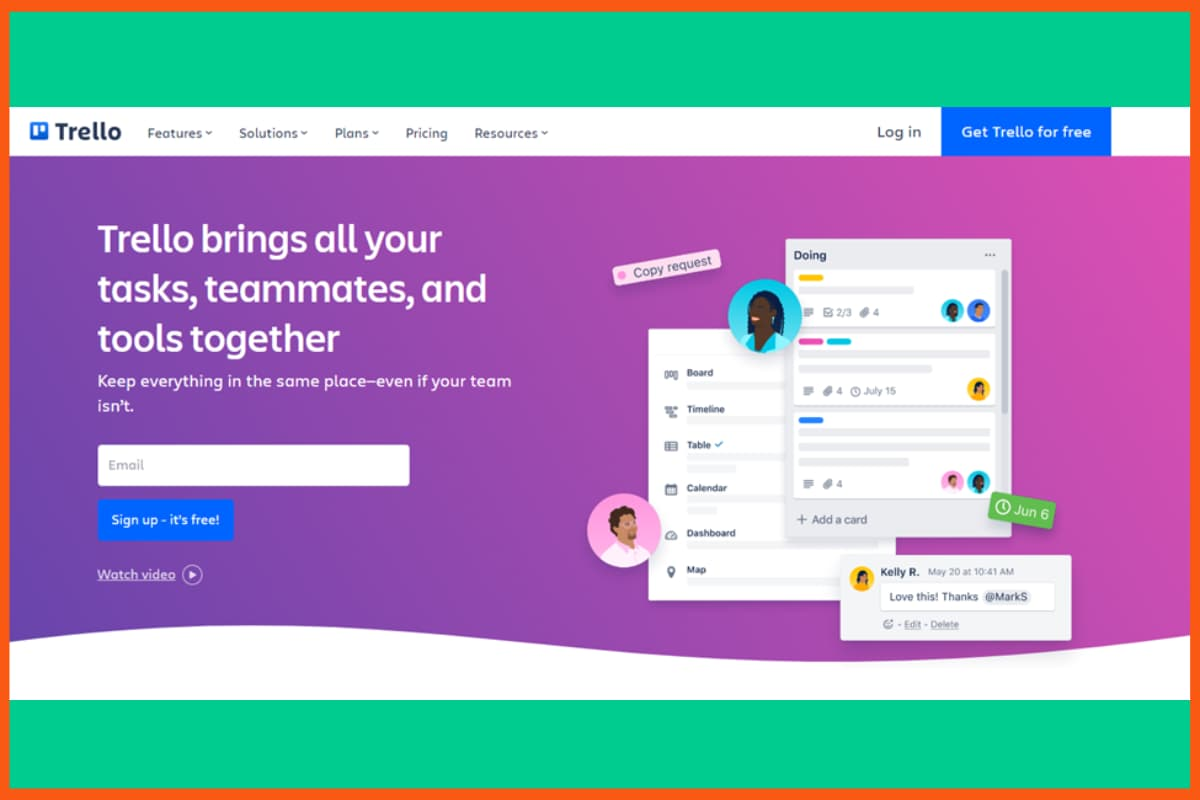
Trello makes managing content marketing projects simple and clear. With its Kanban boards and cards, you can easily track tasks, timelines, and team responsibilities. Everyone can see what’s done, what’s in progress, and what’s left to do at a glance.
GetResponse is a powerful but easy-to-use marketing automation tool. It’s like having a full email team on your side, you can create funnels, follow-up emails, landing pages, and more, all on autopilot while staying connected with your audience.
As your content marketing toolkit grows, it’s important to review the tools you already use. Some may no longer serve you well, and new, better tools could help you get more value from your efforts.
Features
Kanban boards and cards for task management
Assign tasks to team members
Track project progress visually
Due dates, checklists, and attachments
Integrates with many apps (Slack, Google Drive, etc.)
Pros
Easy to use and intuitive
Great for team collaboration
Flexible for different project types
Real-time updates for everyone
Cons
Limited features in the free plan
It can get cluttered with large projects
Not ideal for complex project tracking without add-ons
Pricing Plan:
Have a look at the pricing details of each package.
Plan
Price
Free
$0
Standard
$5/user/month (billed annually)
Premium
$10/user/month (billed annually)
Enterprise
Custom pricing based on team size
Conclusion
In conclusion, the array of content marketing tools available today offers immense potential for streamlining and optimizing marketing efforts. With the right combination of these powerful tools, businesses can create compelling content, improve SEO, boost engagement, and effectively connect with their target audience. Embracing these content marketing tools opens up endless possibilities for businesses to stay competitive, drive growth, and achieve remarkable results in their marketing endeavors. So, leverage these tools wisely to unleash the true potential of content marketing and propel your business towards success.
FAQs
What is content marketing?
Content marketing is a strategic marketing approach that involves creating and distributing valuable, relevant, and consistent content to attract and engage a target audience, ultimately driving profitable customer action and building brand loyalty.
What is the best form of content marketing?
The best form of content marketing is creating high-quality, valuable, and relevant content that resonates with the target audience and addresses their needs and interests effectively. It involves utilizing various content formats, such as blog posts, videos, infographics, and social media content.
What is a content marketing toolkit?
A content marketing toolkit is a collection of various tools, software, and resources that content marketers use to plan, create, optimize, and distribute content effectively, enhancing their content marketing strategies and achieving marketing objectives.
How does content marketing help businesses?
Content marketing helps businesses by increasing brand awareness, attracting and engaging target audiences, building authority and credibility, and ultimately driving lead generation, customer acquisition, and long-term customer loyalty.
What are the 5 types of content?
To create engaging content, focus on understanding your target audience’s needs and interests, use captivating headlines and visuals, and incorporate storytelling techniques to make the content relatable and compelling.
What are content marketing tools?
Content marketing tools are software or platforms that help create, manage, optimize, and share content to attract and engage an audience.
On September 4, 2025, the K.P. Sharma Oli government banned up to 26 social media sites, including YouTube, Facebook, Instagram, and X (previously Twitter), claiming that they had not complied with Nepal’s registration criteria by the deadline.
The Ministry of Communications and Information Technology announced in a public notice that it has directed the Nepal Telecommunication Authority to deactivate any social media platforms that are not registered until they are. Following several petitions, the government once more gave social media companies seven days to register in Nepal on August 28. That deadline ended on the evening of September 3.
Stern Notice to Social Media Platforms
The Ministry’s representative, Gajendra Thakur, stated on the afternoon of September 3 that the government hoped social networking companies would contact them before midnight. He claimed that the government would take appropriate action if they didn’t.
At a meeting held at the Ministry on 4 September, it was decided to impose the ban because no one came forward. Supporters of free speech have criticised the action, claiming it is more about censoring opposing views than it is about regulation. They think that many social media businesses may have refused to register because they felt the government’s registration requirements, which include strict inspection and control procedures, were unreasonable and offensive.
Ban Hampering Nepal’s Image: Acharya
The Centre for Media Research’s director, Ujjwal Acharya, referred to the decision as shortsighted and claimed that the ban will harm Nepal’s reputation as a democratic country. According to Acharya, the government made the choice without considering how it would affect regular people. This choice will damage Nepal’s democratic image for years to come and will leave a bad impression on the world stage.
A recent Supreme Court decision and the government’s own Directives Relating to the Regulation for Usage of Social Media served as the foundation for the decision to ban the websites. The highest court in Nepal ruled two weeks ago that social media and internet platforms, whether they are native or foreign, must be required to register with a relevant government.
However, Mr Acharya contends that the government’s impractical requirements are the reason platforms have not complied. He claims that the Nepali government’s suggested oversight and control procedures are just too invasive. TikTok was prohibited by the then-Pushpa Kamal Dahal government in November 2023, which sparked intense outrage.
Oli Government in the Firing line
The Oli government has been criticised for being more retaliatory towards online critics since it took office almost 14 months ago. Its attempt to pass a new social media regulation bill earlier this year was also strongly opposed. Experts cautioned that the government was trying to regulate almost all internet activity under the pretence of regulation.
In the most recent instance, the government had already issued four registration requests to platforms, each with a comparable deadline. However, only the Ministry made those prior requests. This time, a Cabinet decision issued the registration directive. Social media users blasted the ban as soon as it was announced, calling it foolish, injudicious, and an example of the government shooting itself in the foot. Many users posted what they claimed to be their final remarks since they thought the platforms would fall down at any time.
Quick
Shots
•Platforms failed to comply with
Nepal’s mandatory registration rules by the September 3 deadline.
•Ministry of Communications ordered
ISPs to block unregistered platforms; says it’s about regulation and
compliance.
•Free speech advocates claim the move
is political censorship rather than regulation.
•Ujjwal Acharya warns ban will damage
Nepal’s democratic image and global reputation.
Backlinks are like badges of trust that help websites rank better on Google. Getting these badges is not easy, but once you start getting them, more people visit your website. A recent study by Ahrefs, a tool that helps with this, suggests that you should get backlinks from pages that are popular and trustworthy.
The process of getting these backlinks is like making new friends. You have to send emails to people you don’t know and ask them to add links to your website. It can feel a bit weird. To do this successfully, you need to build good relationships with the owners of other websites. They will only add your links if it makes their website better, too.
Getting these backlinks takes a lot of work. There are different steps involved:
Finding websites that might want to link to you.
Checking if those websites are good for your website.
Finding the email addresses of the people who own those websites.
Making sure the email addresses are correct.
Sending emails and reminding them if they don’t reply.
How to build backlinks for free
It’s important to know that doing this without using backlink building tools is really hard. In the ever-evolving landscape of SEO, utilizing the right tools can make all the difference in enhancing your website’s visibility and authority. In this comprehensive guide, we delve into the realm of link building software tools, unveiling the top solutions that empower marketers and businesses to conquer the challenges of modern online promotion. Join us as we explore the tools that can revolutionize your link building efforts and drive sustainable growth.”
Link builders would agree that finding suitable links is a lengthy and boring task. When it comes to building links to make your website shine, Ahrefs’ Content Explorer is your trusted companion. This tool is like a treasure map for finding valuable websites that could link to yours. Here, you can find fresh links that accurately match your requirements.
For instance, if you’re looking for “best mouses for gamers”, you can:
Ahrefs Content Explorer
Search for ‘best mouses for gamers’ in the content explorer
2. Filter the search for “in title”
3. Filter the timeline. [you can search pages published during a specific time period to get fresh results]
4. Select the language of your preference
5. Filter referring domains (preferably, more than 10)
Ahrefs Links
You’ll have an updated list with fresh links instead of an outdated one. Download these links and add them to your collection.
Pros
Ahrefs is incredible for building links and other SEO aspects like keyword research.
The platform educating the community is a big bonus.
The tools allow users to select the language of their preference.
With Ahrefs, users can filter over ten referring domains.
Cons
The platform doesn’t guide users about what they are missing and how they can utilize Ahrefs tools at their full potential.
New startups or small businesses can find Ahrefs a very costly tool.
The platform doesn’t offer solutions for local SEO.
Only users with the enterprise version can get API access.
keyword research, tracks competitor keyword strategy, SEO audit, backlinking opportunities, and lots more.
SEMrush Backlink Gap
Do you ever wonder where your competitors are getting backlinks from? With SEMrush’s Competitor Gap Analysis tool, you can keep an eye on your competitors’ link-building strategies and explore their backlinks to find suitable ones for you.
Enter your and your competitors’ domains, and you’ll get a list of sites that link back to them.
You can see if they’re using guest posts, citations, or sponsored posts. It’s almost like spying. These are prospects that you can pitch to link back to your website.
By default, the software shows ‘Best’ links, which are the sites that link to your competitors, and not to you.
SEMrush Backlink Gap Search Results
You can also see shared, weak and unique domains. ‘Shared’ means sites that only link to both of you, ‘Weak’ means sites that link only to your competitors, and ‘Unique’ means sites that link to only one domain only.
Use this data to bridge the backlink gap by finding newer sites that don’t link to your competitors. This way, you’ll always stay on top of them.
Pros
With SEMrush, users can find new link-building opportunities and manage their outreach campaigns.
The link-building tool allows users to analyze whether the domain is authoritative.
It’s an easy-to-use platform allowing users to evaluate and compare link profiles in a few clicks.
SEMrush can be integrated with Google Search Console to have a complete picture of the backlink profile.
Cons
SEMrush link-building tools only cover data for Google.
The platform’s user interface is a bit cluttered with enormous data and several features.
The pricing plans of SEMrush are a little expensive for small businesses.
Its learning curve can be difficult for some users.
SEMrush Pricing Plan
Plan
Yearly Price
Monthly Price
Pro
$108.33/month
$129.95/month
Guru
$208.33/month
$249.95/month
Business
$416.66/month
$499.95/month
Moz Link Explorer
Website
moz.com/link-explorer
Rating
4.4 out of 5
Free Trial
Available
Platforms supported
Web
Best For
Create a link building strategy
Moz Link Explorer
Moz Link Explorer is a vital component of Moz Pro, focusing on early link building stages.
By entering a specific domain or URL, this tool dissects the backlink landscape, offering a comprehensive breakdown. Key metrics like domain authority and spam score shed light on the quality of these backlinks, aiding in informed decision-making. Not limited to analysis, Moz Link Explorer also identifies prospects for further link building, maximizing your site’s online authority. It’s an essential compass for navigating the complex realm of link building techniques, providing insights that guide both novices and seasoned SEO professionals towards strategic and impactful link acquisition.
Pros
The platform has a straightforward and easy-to-use user interface.
Users can easily navigate and understand the data.
With the anchor text tool, users can quickly know the most widely used anchor texts other sites use to link to their websites.
Moz Link Explorer provides an overview of site and web page authority.
Cons
The platform doesn’t provide complete data as Ahrefs or SEMrush.
Moz Link Explorer lacks the incorporation of an app messaging tool to remove spammy links.
It offers limited lists of inbound links.
The platform doesn’t enable instant data export; instead, it adds to the queue.
Influencer outreach, link prospecting, link vetting
Pitchbox
Pitchbox stands out as a dedicated link outreach platform, catering to both businesses and agencies. It empowers you to locate and establish connections with prominent influencers and publishers within your specific field. Seamlessly utilizing its outreach templates, you can readily approach them to explore link-building collaborations.
Using Pitchbox’s prospecting features, you can discover relevant websites and influencers in your niche. Once you’ve crafted valuable and engaging content, segment your prospects based on relevance and authority. Pitchbox’s personalized outreach templates enable you to establish a connection by addressing recipients personally and showcasing the value your content offers. Automated follow-ups gently remind unresponsive recipients, while performance metrics help you fine-tune your approach.
However, its significance surpasses that of a mere email marketing tool due to its seamless integration with key SEO tools such as SEMrush, Moz, and Majestic. This integration facilitates the retrieval of essential SEO metrics, enhancing the link vetting process for better-informed decisions.
Pros
Pitchbox is an excellent tool to crawl the web, find content, and focus on keyword-relevant link-building opportunities.
The tool facilitates robust search functionality, advanced reporting features, and personalized outreach templates.
It’s capable of sourcing potentially hundreds of outreach opportunities.
The tool offers the functionality of automatic email search.
Cons
The platform’s interface is a bit outdated and not friendly for inexperienced users.
Sometimes, users don’t get all the replays in their inbox.
Some users find that the platform’s features are overabundant.
As a prominent figure in the SEO arena, Majestic provides a suite of tools that empower you to enhance your backlink strategy. By tapping into its extensive repository of backlink data, you gain insights for strategic prospecting and identifying authoritative websites that align with your niche. The metrics, such as Trust Flow and Citation Flow, guide you in assessing link quality and domain credibility.
Furthermore, Majestic allows you to unveil competitor strategies through comprehensive backlink profile analysis, inspiring your own approach. Beyond analysis, the platform assists in maintaining link health by detecting potentially harmful links. With its insights extending to influencer identification and real-time tracking, Majestic equips you to fortify your link-building endeavors, fostering website authority, visibility, and SEO performance.
Pros
The new link graph lets users see tiers of links and analyze the competition better.
Majestic’s historic index feature is proven to be helpful for users when conducting link detox campaigns.
The platform has a user-friendly interface, making it easy to use and navigate.
It provides good link data volumes.
Cons
The data provided by Majestic is not entirely accurate.
Majestic can improve data downloading and exporting functionality.
The user interface is a bit outdated.
Majestic doesn’t offer a mobile app version of the software.
Majestic Pricing Plans
Plan
Yearly Price
Monthly Price
Lite
$41.67/month
$49.99/month
Pro
$83.33/month
$99.99/month
API
$333.33/month
$399.99/month
Respona
Website
Respona.com
Rating
4.8 out of 5
Free Trial
Available
Platforms supported
Web
Best For
Link-building outreach platform
Respona
Respona streamlines the process of finding and connecting with potential link prospects, bloggers, and influencers. By combining AI-powered search capabilities with robust database integration, Respona identifies relevant opportunities based on your niche, ensuring precision in your outreach efforts.
Its intuitive platform facilitates the crafting of personalized outreach emails, enhancing engagement with your prospects. Moreover, Respona offers automated follow-up sequences, ensuring no opportunity slips through the cracks. With performance tracking and analytics, you can refine your strategy for optimal results. Respona redefines link building, providing a comprehensive toolkit that accelerates your outreach, nurtures relationships, and elevates your website’s authority through quality backlinks.
Pros
Respona allows users to find contacts from within and send emails automatically.
Users can edit and tweak the platform’s in-built templates.
The platform’s dashboard provides all the necessary information for effective link-building.
Users can track every link-building campaign and view metrics like the number of opportunities, open rates, reply rates, etc.
Cons
The platform can improve its contact search automation functionality.
Sometimes, Respona fails to find an email.
The tool’s standard plan offers limited credits.
Respona Pricing Plans
Plan
Price
Starter
$197/month, billed monthly
Unlimited
$399/month, billed annually
Hunter.io
Website
Hunter.io
Rating
4.6 out of 5
Free Trial
Available
Platforms supported
Web
Best For
Email finder and marketing management solution
Hunter
After finding the right website, you need to find the owner. You can go scouting on their social media accounts or let Hunter ‘hunt‘ it for you. You have to provide the name and domain associated with the person.
If you’d like to pitch a company website for link building, you provide its domain to find relevant emails associated with it.
Hunter also provides a Google Sheet add-on, which is a Godsend. Suppose you’ve collected the links of useful websites to pitch. The Google sheet add-on finds e-mails, complementary to those links, and adds them to the sheet.
Hunter.io Google Sheet Add-on
This saves searching and copying time. You can pitch these prospects directly to build more backlinks.
Pros
Hunter.io’s user interface is super simplistic, with easy navigation and modern design.
The platform offers a helpful Chrome extension.
The free plan of Hunter.io is feature-rich, making it perfect for beginners.
It offers a vast library of pre-designed email templates belonging to different categories.
Cons
The platform doesn’t offer social media research tools.
Hunter.io doesn’t verify personal emails created via Outlook or Gmail.
The pricing plan of Hunter.io is quite expensive for beginners.
It doesn’t facilitate LinkedIn integration.
Hunter.io Pricing Plans
Plan
Yearly Price
Monthly Price
Free
$0
$0
Starter
$34/year
$49/month
Growth
$104/year
$149/month
Business
$349/year
$499month
NeverBounce
Website
www.neverbounce.com
Rating
4.4 out of 5
Free Trial
Available
Platforms supported
Web
Best For
Real time email verification and email list cleaning service
NeverBounce
Acquiring wrong emails is common. You send personalized e-mails to your prospects, only for them to be bounced. This slows down the link-building campaign.
But, there’s a solution. Upload the list of e-mails you have to NeverBounce. It checks each e-mail and tells you if it’s “valid”, “invalid” or “disposable”. Also, it duplicates e-mails so you have to pay for verification only once.
NeverBounce Email Verification – Best Tools for Small Business Link Building
To automate the whole process, you can add the Zapier integration to combine NeverBounce with Google Sheets. Then, it will automatically tell you if the e-mail you’ve got is right or not.
Note: You can automate half of your link-building campaign by connecting Google Sheets and NeverBounce. If you’ve already added the hunter.io extension, use Zapier filters to trigger the automation when you need it. This way, you only need to find and vet link prospects, and the next three steps will happen on their own.
Pros
NeverBounce is an easy-to-use link-building tool.
The platform lets users verify emails in bulk and an individual email address at a time.
The chances of bouncing an email are negligible with NeverBounce.
It’s the best email verification online tool in terms of accuracy.
Cons
Many users find NeverBounce an expensive tool.
The platform doesn’t facilitate PayPal payment options.
Sometimes, the tool provides unverifiable emails as a result.
NeverBounce Pricing Plans
Pay As You Go Rates
Emails
Price per email
up to 10,000
$0.008
up to 100,000
$0.005
up to 250,000
$0.004
up to 1,000,000
$0.003
Note: Its Enterprise Packages (Custom Price) includes email over 1,000,000.
Buzzstream
Website
www.buzzstream.com
Rating
4.5 out of 5
Free Trial
Available
Platforms supported
Web
Best For
Influencer outreach management platform
BuzzStream – Top Link Building Software
BuzzStream is a comprehensive outreach and relationship management software designed to streamline and enhance the process of influencer marketing, link building, and PR outreach. It offers a range of tools and features that help individuals and businesses effectively manage their interactions with influencers, bloggers, journalists, and other online contacts.
For those involved in link building, it’s a common occurrence to visit a website and wonder whether your team has previously reached out to them. Alternatively, you might wish to get in touch with the author of the content.
Buzzmarker (BuzzStream’s extension for Google Chrome) comes to your aid by extracting contact details like social profiles and email addresses directly from the website, eliminating the need to navigate away. This tool proves invaluable in identifying connections across different websites.
Imagine this: You’re on the lookout to add new bloggers to your list. You visit a blog that features prominent bloggers in your field. Buzzmarker’s highlighting feature simplifies the process. It shows you which bloggers you’ve already established contact with and flags the ones that are new to you. This way, you can easily keep your connections up to date.
BuzzStream Link Building – Top Backlinks Websites
Buzzmarker allows you to compose and send e-mails right there by using their templates. Reaching out doesn’t get easier than this.
Pros
BuzzStream automatically conducts influencer research involving locating relevant contact information, social profiles, and site metrics.
The platform provides a unified workspace allowing all team members to work together on tasks, compare notes, and manage projects.
It allows users to manage and monitor all emails, tweets on social media, and status updates.
The tool allows users to select in-built templates or create them and compose a personalized message.
Cons
It merges multiple URLs from a single domain into the same record.
Sometimes, BuzzStream directly sends emails through users’ domain/IP.
The platform lacks responsive customer support.
The functionality of BuzzStream is pretty clunky, as users can’t add a link-building contact to more than one project or client.
BuzzStream Pricing Plans
Plan
Price
Starter
$24/month
Growth
$124/month
Professional
$299/month
Custom
starting at $999/month
HARO
Website
Haro-seo.com
Rating
4.4 out of 5
Free Trial
Available
Platforms supported
Web
Best For
Earn links from strong domains
HARO (Help A Reporter Out) – Top Backlinking Tools
HARO, which stands for “Help A Reporter Out,” is a platform that acts as a bridge between journalists, bloggers, and other content creators seeking sources, and individuals or experts who can provide valuable insights for their stories.
Journalists often use HARO to find experts, quotes, and information to enhance their articles, reports, and news pieces. HARO helps them by pitching multiple users to provide them. This is how it works:
You upload your request to HARO.
It pitches people via email to find someone who can provide the information.
Interested people or websites can reply to the request.
But how does it help you?
Suppose you’re a software engineer with a blog about coding. You get a request for suggestions on top coding languages to learn in 2022. Reply to the request with your suggestions and they’ll link their content to your blog.
This is a brilliant method to acquire backlinks. Whatever your business is, look for relevant requests and provide insightful opinions for a backlink in return.
Pros
The platform can help users get links from high-quality sources.
It’s a great tool to build relationships with reporters and influencers.
With HARO, users can get exposure to their brand and website.
HARO helps users build authority and credibility in their industry.
Cons
With HARO, it can be time-consuming for the users to respond to reporters’ requests and track the correct contact information.
Sometimes users might get inundated with responses from individuals who aren’t a good fit for their business.
Without screening, any random person can quickly sign up to become a source on HARO.
With HARO, users also need to look out for questionable queries.
Link Whisper is a smart internal linking tool that uses AI to suggest relevant links inside your content, making the process quick and simple. It also gives useful reports like the Orphaned Content Report, which shows pages with no internal links. Features like the URL Changer automatically fix links when URLs change, and bulk editing saves a lot of time on large websites. Overall, it’s a handy tool to improve site structure and SEO. It helps boost page visibility, improves user navigation, and makes managing links effortless even on large, complex sites.
Pros
AI-powered link suggestions
Orphaned Content report to fix hidden pages
URL Changer prevents broken links
Bulk editing saves time on large sites
Improves SEO and user experience
Cons
Only works on WordPress
No free trial available
Can slow down very large sites if not optimized
Link Whisper Pricing
Plan
Price
1 Site License
$77 / year
3 Sites License
$117 / year
10 Sites License
$167 / year
Conclusion
In the ever-changing realm of digital marketing, mastering link building is crucial. Our exploration of top link-building software tools reveals how these tools empower marketers for greater visibility and growth.
From Ahrefs’ insights to BuzzStream’s outreach, each tool simplifies prospecting and relationship-building. This synergy of human and tech prowess reshapes link building, making it strategic and impactful.
Whether you’re an SEO pro or a newbie, these tools pave the way to stronger online presence. As you navigate the dynamic SEO landscape, let these tools catalyze your strategies and drive your digital success.
FAQ
What are link building software tools?
Link building software tools are digital solutions designed to assist marketers and businesses in identifying, acquiring, and managing backlinks to enhance their website’s online presence and search engine visibility.
Which are the top backlink tools to use in 2023?
SEMRush, Ahrefs, Moz Link Explorer, and Majestic are some of the best link building tools you can use in 2023.
Are these tools suitable for beginners?
Absolutely. Many link building software tools offer user-friendly interfaces and step-by-step guidance, making them accessible and effective for both beginners and experienced marketers.
Why should I use link building software tools?
Link building software tools streamline the process of finding potential link opportunities, reaching out to website owners, and managing relationships, saving time and effort while optimizing link-building strategies.
What is the best link building strategy?
Creating high-quality, valuable content that naturally attracts authoritative backlinks is often considered the best link building strategy.
How can you make your backlinks stronger?
You can make your backlinks stronger by obtaining them from authoritative and relevant websites within your niche.
How do link building software tools help with outreach?
Link building tools facilitate outreach by automating email communication, tracking responses, and assisting in personalized follow-ups, thereby streamlining the process of building relationships with website owners.
US President Donald Trump to host distinguished group of IT CEOs to a dinner at the White House. Microsoft cofounder Bill Gates, Apple CEO Tim Cook, Meta CEO Mark Zuckerberg, and a dozen other leaders from the largest tech and artificial intelligence companies are expected to be on the guest list, the White House said.
Trump recently tiled over the green lawn in the Rose Garden, where the dinner would be hosted. The tables, chairs, and umbrellas there are quite identical to those at his Mar-a-Lago club in Florida.
Meeting with the New Artificial Intelligence Education Task Force
After the event, First Lady Melania Trump will head the White House’s new Artificial Intelligence Education task committee. The task force conference, which aims to establish AI education for American youth, is anticipated to include at least some of the people who attended the dinner.
In a statement, White House spokesperson Davis Ingle said that the White House’s Rose Garden Club is the most popular spot in Washington, if not the entire world. For this meal and many more to come, the president is excited to welcome leading figures in business, politics, and technology to the new, lovely Rose Garden terrace, Ingle added.
Confirmed Guest List
Google founder Sergey Brin and CEO Sundar Pichai, Microsoft CEO Satya Nadella, OpenAI CEO Sam Altman and founder Greg Brockman, Oracle CEO Safra Catz, Blue Origin CEO David Limp, Micron CEO Sanjay Mehrotra, TIBCO Software chairman Vivek Ranadive, Palantir executive Shyam Sankar, Scale AI founder and CEO Alexandr Wang, and Shift4 Payments CEO Jared Isaacman are all scheduled to attend the dinner, according to the White House.
Trump nominated Isaacman, an associate of Musk, to head NASA but later withdrew the candidacy around the time of his split from Musk. Trump referred to Isaacman as “totally a Democrat” and stated that Musk was angry with him because of the revocation of the candidacy.
Musk Missing from the Guest List
Elon Musk, who was formerly a strong ally of Trump and was given the responsibility of leading the government-cutting Department of Government Efficiency, is one prominent figure missing from the guest list. Earlier this year, Musk and Trump had a public spat.
As a result, Sam Altman of OpenAI, one of Mr. Musk’s competitors in the field of artificial intelligence, has been added to the guest list. Participants in the new Artificial Intelligence Education task committee included Sundar Pichai, CEO of Google, Arvind Krishna, the chairman and CEO of IBM, and Cameron Wilson, the president of Code.org.
Quick
Shots
•Trump invites CEOs to White House.
•Rose Garden dinner setup.
•Meeting with the new AI Task Force,
Led by First Lady Melania Trump.
You’re running lean, with a backlog that never seems to end. Sales wants a quoting tool. Ops needs fewer spreadsheets. You can buy software, build it from scratch, or assemble it with low-code. The “right” choice isn’t hype, it’s how fast value shows up and what it costs to keep that value flowing.
What ROI really means (in plain English)
Let’s keep it simple. ROI is how quickly your project pays for itself and keeps paying. Look at five things: time-to-value, direct costs, ongoing costs, risk, and opportunity cost (what your team could do with the time they’ll save).
Many teams find that App development is 90% faster with low-code platforms. Even if you only capture part of that, the weeks you gain add up fast. Picture a simple quoting app that saves two reps about an hour a day. At $25 an hour, that’s roughly $1,100 a month back. The real choice is which route—build, buy, or low-code—starts those savings quickest and keeps costs in check.
Build: full control, slower start, higher upfront cost.
Low-code: faster start, room to tailor, moderate cost with the option to drop to code for edge cases.
The speed dividend (and how to measure it without jargon)
Speed isn’t a buzzword if you measure it. Four simple signals tell you whether low-code is helping:
How long it take to ship a change.
How often you release.
How often a change breaks something.
How fast you fix it when it does.
These mirror the well-known DORA metrics; for shared definitions, you can show leadership, use Google’s DORA State of DevOps report. A 90-day plan to prove (or disprove) ROI:
Pick one workflow (quotes, returns, field service).
Release something small every week for eight weeks.
Put a dollar value on minutes saved (minutes × wage × frequency).
Subtract license + integration + admin time.
If you’re net positive by Day 60, keep going; if not, rethink scope or integrations.
Want a quick lens on platform incentives while you plan? StartupTalky’sGmail business model teardown shows how “free” tools sustain themselves—useful context when you’re deciding how much to rely on a vendor’s roadmap.
Build vs. Buy vs. Low-Code: a quick decision aid
Buy when the need is common (ticketing, contact forms) and a vendor already integrates with your stack. You’ll get predictable costs and minimal setup.
Build when the workflow is your edge—say, a pricing engine that truly sets you apart—or when you need deep control of data models and performance.
Low-code when 70–80% of the app looks like familiar blocks (forms, approvals, dashboards), and the rest is custom logic. You ship faster, learn faster, and can still drop to code for the tricky bits.
Seven fast questions before you choose:
Can v1 fit into three simple user stories?
What’s the riskiest integration—and can we pilot it first?
What’s the first $1,000/month we can save or earn?
Do we have data residency constraints to respect?
If the vendor removes a feature, can we export and move?
Who owns the backlog after go-live?
What’s the support SLA and escalation path?
If you sell to small sellers or local merchants, you’ll hit catalog, payment, and returns workflows quickly. The Meesho business model offers a useful lens on how those operational details drive tool choices.
TCO in one sheet (so finance nods)
Keep the math on a single tab. No fluff.
One-time (Month 0–1)
Scoping sessions (hours × internal rate)
Integration setup (hours × rate)
Data migration and cleanup
Basic security/roles
Recurring (Monthly/Annual)
Platform licenses (named users)
Automation/API usage, storage
Monitoring/backup
Support plan
Change budget (Quarterly)
Feature tweaks
New integration endpoints
Refresher training
Worked example (quoting app):
12 users × $30/user/month = $360/month
20 hours integration × $70/hour = $1,400 one-time
4 hours admin/month × $70/hour = $280/month
Time saved: two reps × 60 min/day × $25/hour × 22 days ≈ $1,100/month
Month 1: $1,400 one-time + $640 run = $2,040 vs. $1,100 benefit → negative (expected). Month 2+: $640 run vs. $1,100 benefit → +$460/month → payback in month two.
When you price internal engineering time, use a neutral benchmark like the U.S. Bureau of Labor Statistics profile for software developers and adjust for your market. It prevents underestimating “free” internal work.
Risks to handle early (so you don’t pay later)
Integration thrash: Complex ERP/CRM APIs can eat weeks. Pilot the hardest connection first.
Edge-case sprawl: Freeze v1 scope. Park extras in a backlog with dates.
Citizen-dev drift: Give builders guardrails and a weekly review slot.
Data residency and privacy: Know where data and logs live. For SME realities and policy context, see the OECD on SME digitalisation.
Ownership: Name a platform product owner. Publish release notes. No Friday deploys.
For a long-term view of how philosophy and funding shape product decisions, Telegram’s business model shows how a platform’s stance can influence APIs, features, and support.
A 7-day pilot plan to prove ROI fast
You don’t need a big program to see results. Run this time-boxed pilot and decide with data.
Day 0 (prep): Pick one workflow with clear money value (quotes, returns, field service). Write one sentence on what “good” looks like (e.g., “cut approval time from 2 hours to 20 minutes”).
Day 1 (scope): List the three screens you need (submit, approve, track). Identify the riskiest integration and a fallback if it slips.
Day 2 (build basics): Create forms, roles, and one approval rule. Keep naming simple so anyone can maintain it.
Day 3 (wire up data): Connect to the one system that matters most (CRM/ERP). If it’s slow, use a CSV for now and prove the workflow first.
Day 4 (test with real users): Shadow two users for 30 minutes each. Fix only the top two issues you see.
Day 5 (train & go live): Record a 5-minute screen share. Roll out to 3–5 users.
Day 6 (measure): Compare before/after: minutes saved × wage × frequency. Log errors and handoffs.
Day 7 (decision): If net monthly benefit ≥ run cost and tasks finish faster with fewer handoffs, extend for 30 days. If not, simplify the scope or switch to buy/build.
Wrap-up
Pick one workflow where the money is obvious, price your own time honestly, and prove the value in 90 days. If low-code helps you capture the win quickly, and you manage scope and integrations, you’ll see payback fast. If not, your decision aid will point you to buy off-the-shelf or build custom with far less second-guessing.
We are only one week into September, and yet another attack, another security breach that the world has to worry about. This time it’s Cloudflare, a major internet security company that experienced a data breach (a hack, in this case). The hackers, with precision, broke into Cloudflare’s Salesforce system (where the company’s customer support data is). Well, the hack is such a big deal because it wasn’t just Cloudflare. It was part of a global supply chain attack that impacted several other companies as well. How severe was the hack? What happened afterward? Were any major companies involved? Learn more.
How the Cloudflare Hack Happened?
The hackers, as usual, found a vulnerability in this case in a tool called Salesloft Drift chatbot.
This bug gave them a way to sneak into Salesforce systems used by many organizations worldwide.
The hackers started looking for a loophole on August 9, 2025.
Exactly after 3 days (on August 12, 2025), they broke into the system.
They stayed inside the system for the next 5 days (till August 17, 2025), stealing the important data.
What Data Was Stolen From Cloudflare?
They stole data from Customer support cases in Salesforce, and looked for:
Customer names and contact details
Case subject lines
The written conversation in those tickets
However, Cloudflare informs the customer not to share any sensitive details in the tickets. But somehow, a few leave their passwords, API keys, or logs, and mostly those were at risk.
What Wasn’t Stolen?
Hackers didn’t touch Attachments (files sent in cases).
Cloudflare’s core systems or infrastructure.
How Many Were Affected?
After an investigation, it was found that about 104 of its own API tokens were stolen. But to everyone’s surprise, none were used by the hackers, so Cloudflare quickly replaced them.
How Cloudflare Responded?
Salesforce and Salesloft warned Cloudflare about the breach on August 23, 2025.
Cloudflare quickly disabled the Drift integration (from where the hacker entered).
Replaced all login details linked to Salesforce.
Duly conduct a review into the stolen data, see who and how many were affected.
And finally, on September 2, 2025, Cloudflare informed its affected customers of the same.
Cloudflare’s Statement On the Hack
In a statement, Cloudflare said, “We are responsible for the choice of tools we use in support of our business. This breach has let our customers down. For that, we sincerely apologize.”
And also urged the users to change their passwords or keys that might have been shared in support tickets, just in case.
Which Other Major Companies Were Affected?
Here’s the list:
Palo Alto Networks → Business contact information and internal sales data of the company were stolen by hackers.
Zscaler → Key information like customer names, contact details, and some support case information was stolen.
Google → Only a small percentage of Workspace accounts were accessed via the stolen tokens.
The companies are investigating the issues, and more details on the same are yet to come out.
Why Does the Attack Matter?
We know how vital integrations in tech tools are, but they come at a cost. This hack is the classic example of security risks coming from third-party tools (like chatbots or integrations). No matter how strong you are on the security end, it is equally important to partner with those alike.
Just when everyone thought the Google monopoly trial would finally shake up Big Tech, Judge Amit Mehta gave a mild ruling. Wedbush Securities Analyst Dan Ives even joked about it, saying, “Government Folds Like Cheap Suit.” Now, why is this case such a prominent issue in the tech world right now? On January 24, 2025, the United States Department of Justice sued Google for antitrust violations and illegally monopolizing the Adtech market.
Ads are the major source of revenue for Google. The company garnered $264.59 billion in 2024 alone from ads, and why would Google want to give that up? The trial got so heated that many thought it was time for Google to sell Chrome. Google argued that it’s being punished for creating a product people like, and its market dominance is a sheer reflection of its high quality. And perhaps the judgment favored them. Here’s why.
What did Judge Amit Mehta decide for Google?
Firstly…
To not break up Google, it says whole. The Department of Justice wanted Google to be parted, especially to sell off either Chrome (browser) or Android (phone system). After the ruling, neither of them is happening.
Secondly…
Its exclusive deals are banned, but not entirely. Here’s an example:
Google pays Apple a big $20 billion a year to be shown as the default search engine on iPhones.
The deal will continue, but with tweaks here and there.
The judge said:
Google can still pay Apple as long as it’s one year at a time.
While doing so, Google can’t restrict Apple from providing other search engines and AI tools (like OpenAI, Anthropic, Perplexity) as default (selective) options.
Thirdly, Data Sharing…
Google will share some search and user data with competitors like OpenAI.
However, not disclose its ad data as they are its primary source of income.
So, What Does the Ruling Mean for Each Player?
Google:
Nothing really changes for Google; pretty much everything remains the same.
It will continue to pay Apple and Samsung to remain the default search engine on iPhones and Samsung devices.
It keeps Chrome, and so it remains the most powerful browser.
To continue making money from advertising tied to search traffic.
And Google will continue to push AI features inside search results like AI Overviews and AI Mode because, according to Google’s head of search, Liz Reid, AI is making people “searching more than ever.”
Apple:
Nonetheless, $20 billion/year from Google is a big slice of Apple’s revenue. Now, Apple gets to keep it, plus can cash in on other competitors as well.
Apple’s Eddy Cue hinted that it might add some AI search options to Safari (like how Google added Overviews and AI mode).
It could also include OpenAI, Perplexity, Anthropic, and more. However, they won’t be a default as Google still holds that spot.
OpenAI (ChatGPT):
It has been one of the best ironies for Google that OpenAI saved Google.
According to the judge, when the trial began, GenAI, such as ChatGPT, had become a sudden threat, and Google’s monopoly was deemed impossible. As a matter of fact, ChatGPT did become the center of the world.
Now, after the ruling, OpenAI will get access to Google’s search/user data but not its Ad data.
In the near future, ChatGPT could become a stronger competitor to Google Search.
What Did the Publishers Get?
Nothing but disappointment. Publishers are angry about the Overviews (an AI feature on Google) and the overuse of AI, as they use their content without giving the creators the deserved credit.
According to Whistler Billboards.com, several sites are experiencing a 70% drop in their traffic due to the Overview AI feature in Google Search.
Less traffic means fewer ad views, which means less revenue for publishers. The ruling didn’t even consider the publishers; instead, it gave search data to OpenAI.
So here after the ruling:
Google gets to dominate search.
Google gets to dominate ads.
And after sharing user data with AI, the publishers get nothing.
Final Thoughts…
After the ruling, everyone (except publishers) got something out of it. Apple still got its $20 billion and potentially some more from other competitors (of Google). OpenAI gets data sharing. And mostly, Google remains Google, and not much changes.